
本教程适用于以下操作系统版本
- Debian 12 (Bookworm)
- Debian 9 (Stretch)
- Debian 5 (Lenny)
本页内容
- 先决条件
- 在 Debian 上安装 Nagios
- Nagios 配置文件与目录
- 启用 Nagios 认证
- 为 Nagios 配置 Apache 基本认证
- 访问已启用认证的 Nagios 安装
- 总结
Nagios 是一个开源的监控系统,用于跟踪 IT 基础设施的健康状况和性能。它为服务器、网络和应用程序提供实时告警和状态概览,从而实现主动的问题处理。
在本指南中,你将学习如何在 Debian 12 服务器上安装 Nagios。你将通过包管理器在 Debian 上安装 Nagios,而不是手动编译它。
先决条件
在开始之前,请确保你具备以下条件:
- 一台 Debian 12 服务器。
- 一个具有 sudo 权限的非 root 用户。
在 Debian 上安装 Nagios
要安装 Nagios,你可以自行编译手动安装,也可以通过 APT 等包管理器进行安装。在本示例中,你将通过 APT 仓库在 Debian 12 上安装 Nagios,这种方式更快、更简单。
首先,运行以下命令以刷新并更新你的 Debian 软件包索引。
sudo apt update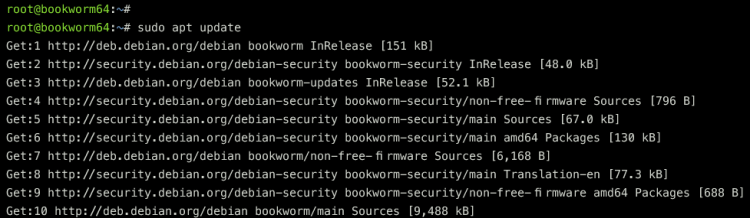
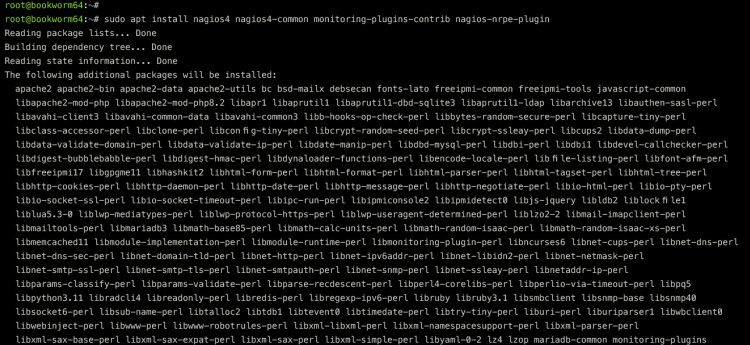
软件包索引更新完成后,执行以下命令通过 Debian 仓库安装 Nagios、monitoring-plugin 以及 Nagios NRPE 插件。
sudo apt install nagios4 nagios4-common monitoring-plugins-contrib nagios-nrpe-plugin输入 Y 以继续安装。这样你将安装 Nagios 的依赖项,包括 Apache 网页服务器和 PHP 8.2 软件包。
Nagios 安装完成后,运行以下 systemctl 命令以启用 nagios4 服务。
sudo systemctl enable nagios4然后,通过以下命令验证 nagios4 服务,确保其处于运行状态。你应该能看到 nagios4 服务状态为 active (running)(运行中)且已启用。
sudo systemctl is-enabled nagios4
sudo systemctl status nagios4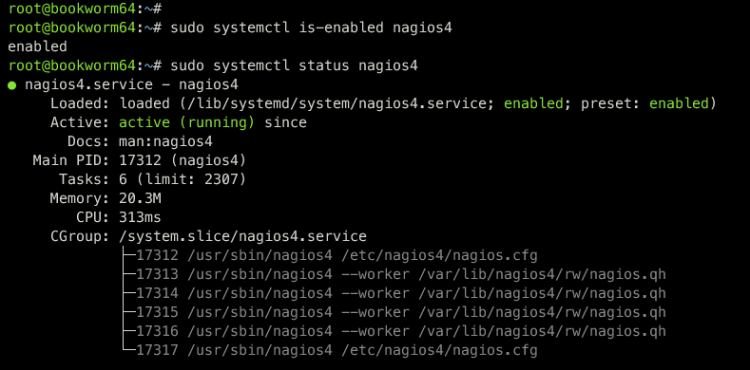
现在你也可以使用以下命令验证 Apache 网页服务器状态,确保它已安装并正在运行。
sudo systemctl is-enabled apache2
sudo systemctl status apache2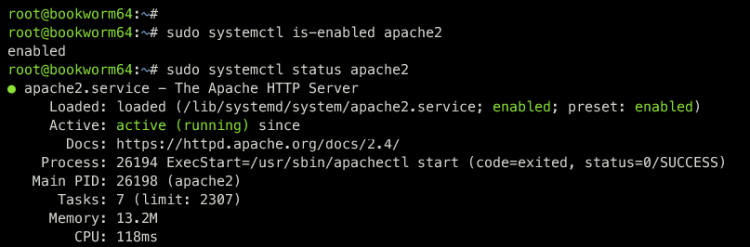
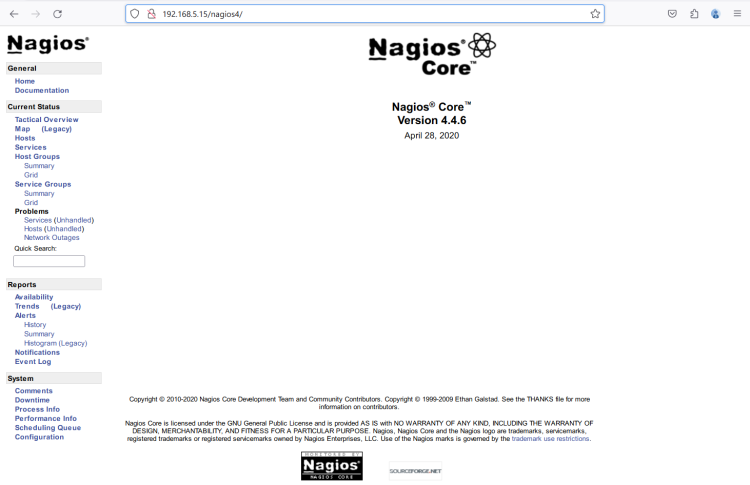
最后,打开你的网页浏览器并访问你的 Nagios 安装地址 http://192.168.5.15/nagios4。你应该会看到如下所示的 Nagios 仪表盘:
Nagios 配置文件与目录
由于你是通过 APT Debian 仓库安装的 Nagios,建议了解一下你的 Nagios 安装的目录结构和配置。
以下是你必须了解的 Nagios 配置文件和目录:
- /etc/nagios4:Nagios 安装的默认配置。
- /etc/apache2/conf-available/nagios4-cgi.conf:与 Apache 网页服务器集成相关的 Nagios 配置。
- /etc/nagios-plugins:Nagios 监控插件的目录。
- /usr/lib/nagios/plugins:Nagios 监控插件检查命令的位置。
启用 Nagios 认证
默认情况下,Nagios 的认证是关闭的,但仅允许本地网络访问你的安装。在本示例中,你将启用 Nagios 的认证。这样,只有输入正确用户名和密码的用户才能访问 Nagios 仪表盘。
使用以下 nano 编辑器命令打开文件 /etc/nagios4/cgi.conf。
sudo nano /etc/nagios4/cgi.conf找到 use_authentication 这一行,将其值改为 1 以启用 Nagios 认证。
# AUTHENTICATION USAGE
# This option controls whether or not the CGIs will use any
# Authentication when displaying host and service information, as
# well as committing commands to Nagios for processing.
#
# Read the HTML documentation to learn how the authorization works!
#
# NOTE: It is a really *bad* idea to disable authorization, unless
# you plan on removing the command CGI (cmd.cgi)! Failure to do
# so will leave you wide open to kiddies messing with Nagios and
# possibly hitting you with a denial of service attack by filling up
# your drive by continuously writing to your command file!
#
# Setting this value to 0 will cause the CGIs to *not* use
# authentication (bad idea), while any other value will make them
# use the authentication functions (the default).
use_authentication=1
完成后保存并关闭文件。
接下来,使用以下命令重启 nagios4 服务以使配置生效。
sudo systemctl restart nagios4这样,只有用户 'nagiosadmin' 才能访问你的 Nagios 安装。你仍然可以访问 Nagios 仪表盘,但报告和监控页面会被拒绝访问。
为 Nagios 配置 Apache 基本认证
既然你已经在 Nagios 部分启用了 Nagios 认证,下一步是通过 basic_auth 在 Apache 网页服务器上设置认证。
首先,运行以下命令以启用所需的模块:cgi、cgid 和 rewrite。
sudo a2enmod cgi cgid rewrite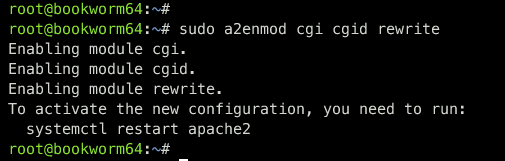
使用以下 nano 编辑器命令打开 Nagios 安装的 Apache 配置文件 /etc/apache2/conf-available/nagios4-cgi.conf。
sudo nano /etc/apache2/conf-available/nagios4-cgi.conf找到 '
<DirectoryMatch (/usr/share/nagios4/htdocs|/usr/lib/cgi-bin/nagios4|/etc/nagios4/stylesheets)>
 Options FollowSymLinks
 DirectoryIndex index.php index.html
 AllowOverride AuthConfig
 Options None
 AllowOverride None
 Order allow,deny
 Allow from all
 AuthName "Nagios Core"
 AuthType Basic
 AuthUserFile /etc/nagios4/htdigest.users
 Require valid-user
 Require all denied
</DirectoryMatch>
完成后保存文件并退出编辑器。
接下来,运行以下命令为 Apache 基本认证创建一个新用户 nagiosadmin。默认情况下,Nagios 只允许 nagiosadmin 用户查看和管理 Nagios。
sudo htpasswd /etc/nagios4/htdigest.users nagiosadmin输入你的密码并重复输入。
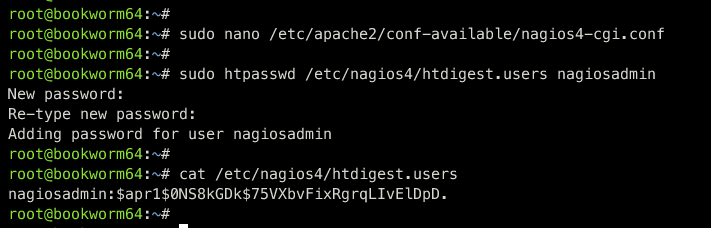
最后,运行以下命令重启 apache2 服务并应用你的更改。然后验证 Apache 以确保其正在运行。
sudo systemctl restart apache2
sudo systemctl status apache2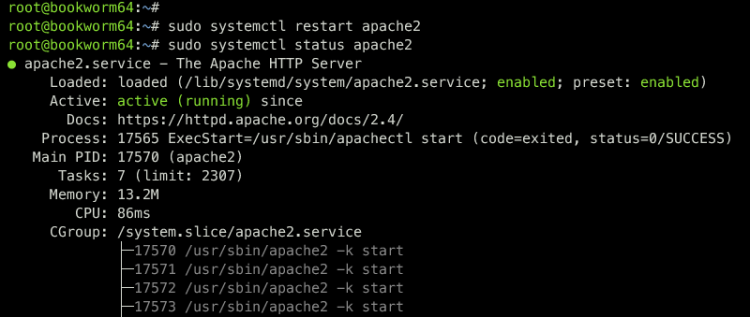
完成此步骤后,访问你的 Nagios 安装时将会被要求输入凭据。
访问已启用认证的 Nagios 安装
回到你的网页浏览器并重新加载 Nagios 标签页。如果你的配置成功,将会弹出 Apache basic_auth 模块的身份验证提示。
输入用户 nagiosadmin 和密码,然后点击 Sign In(登录)继续。
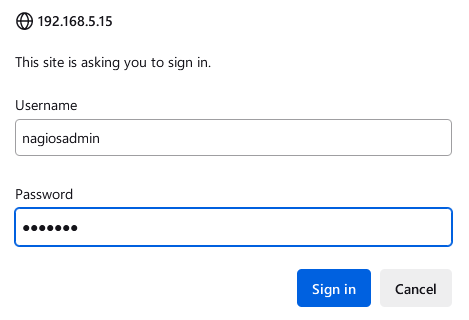
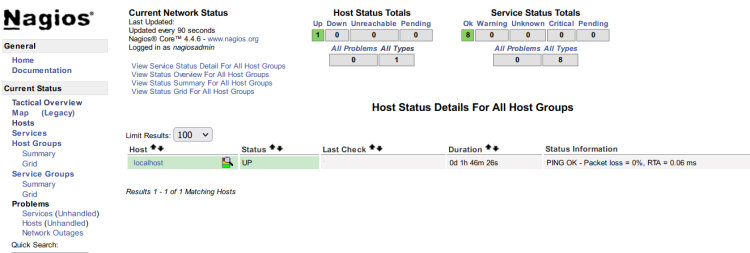
如果密码正确,你将会看到 Nagios 仪表盘。
点击 Hosts(主机)菜单,你将看到状态为 UP(在线)的 localhost。
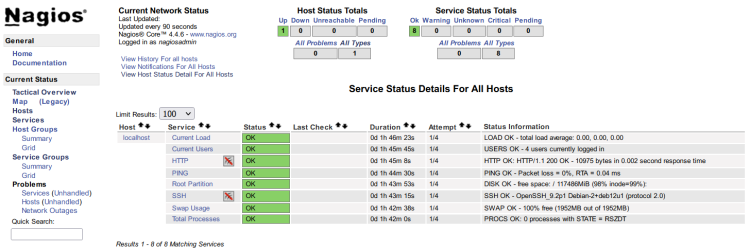
现在点击 Services(服务)菜单,你将看到 Nagios 上的默认系统监控,包括系统负载、登录用户、HTTP 状态、ping、根分区磁盘使用率、SSH 状态、SWAP 状态,以及系统中的进程总数。
总结
恭喜,干得漂亮!你已完成在 Debian 12 服务器上安装 Nagios 监控工具。你通过 Debian APT 仓库安装了 Nagios,这是部署 Nagios 最简单的方式。此外,你还启用了 Nagios 认证,并实现了 Apache basic_auth 模块来保护你的 Nagios 安装。
从现在起,你可以通过 Nagios 添加并监控主机,或者探索 NRPE 插件以通过 Nagios 监控远程主机。