
本页内容
- 准备工作
- 安装依赖项
- 配置 Firewalld
- 配置 MariaDB 服务器
- 配置 PHP-FPM
- 下载 TYPO3 CMS
- 为 TYPO3 CMS 配置 Nginx 服务器块
- 使用 SSL/TLS 加固 TYPO3 CMS
- 结语
TYPO3 是一个自由开源的企业级内容管理系统。它提供了多种企业级功能,例如支持多站点的可扩展 CMS、多语言安装、强大的安全实现、极快的响应速度,并且可以运行在任何环境中。
使用 TYPO3 CMS 可以让你构建灵活且可靠的网站。TYPO3 CMS 背后有一个活跃的专业社区支持。从设计上讲,TYPO3 CMS 是一个可插拔的内容管理系统,具有可适配、解耦的架构。
在本指南中,我将逐步演示如何在 AlmaLinux 9 上安装 TYPO3 CMS。我们将使用 Nginx Web 服务器、MariaDB 数据库服务器和 PHP-FPM 来安装 TYPO3 CMS。
准备工作
在继续之前,请确保你已具备以下条件:
- 一台 AlmaLinux 9 服务器——本示例使用主机名为 almalinux9 的服务器。
- 一个拥有 sudo root 权限的非 root 用户。
- 一个指向服务器 IP 地址的域名。
安装依赖项
在接下来的步骤中,你将安装 TYPO3 CMS 所需的软件包依赖项,包括:
- Nginx:作为 Web 服务器。
- MariaDB:作为数据库服务器。
- PHP-FPM:本示例将使用 PHP 8.1 运行 TYPO3 CMS。
- Composer:PHP 应用的依赖管理工具。
现在让我们开始吧。
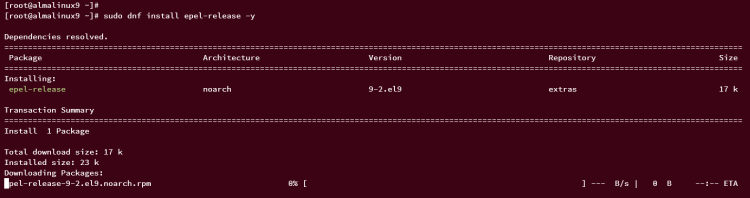
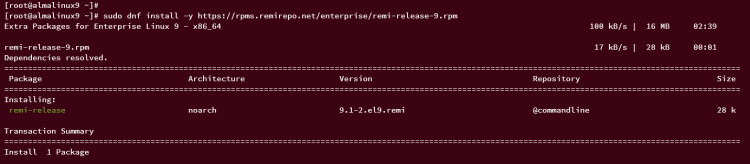
首先,运行以下命令将 EPEL 和 Remi 仓库添加到你的系统。Remi 仓库提供了多个版本的 PHP 软件包,以及一些默认 appstream 仓库中没有的额外 PHP 扩展。
sudo dnf epel-release
sudo dnf install -y https://rpms.remirepo.net/enterprise/remi-release-9.rpm
输入 y 确认安装,然后按 ENTER 键。
正在添加 EPEL 仓库。
正在为 RHEL 9 添加 PHP Remi 仓库。
现在,运行以下命令重置默认的 PHP 仓库模块,并启用来自 Remi 仓库的 PHP 8.1 模块。
sudo dnf module reset php -y
sudo dnf module enable php:remi-8.1 -y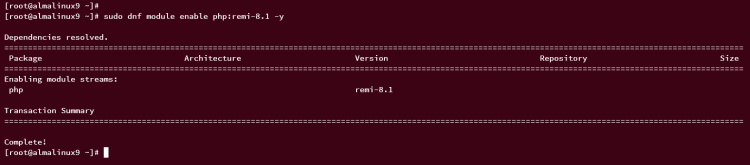
接下来,运行以下 dnf 命令来安装 TYPO3 CMS 的软件包依赖项。当提示时,输入 y 确认,然后按 ENTER 键。
sudo dnf install nginx mariadb-server composer ImageMagick php-fpm php-mysqlnd php-gd php-curl php-json php-intl php-bcmath php-zip php-apcu php-mbstring php-fileinfo php-xml php-soap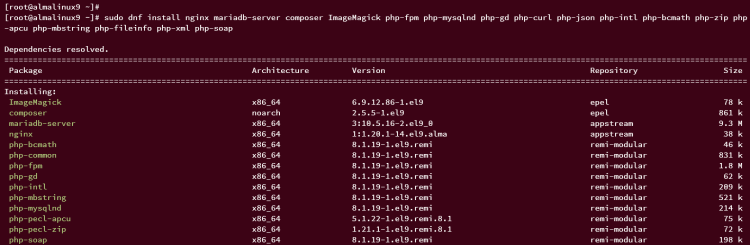
依赖项安装完成后,运行以下 systemctl 命令来启动并设置开机自启主要服务,例如 Nginx、MariaDB 和 PHP-FPM。
sudo systemctl enable --now nginx mariadb php-fpm
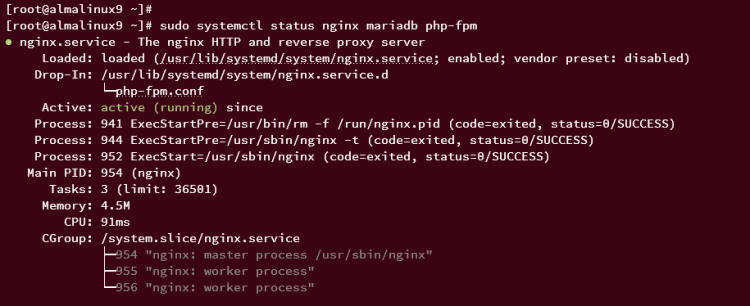
然后,使用以下命令验证服务,确保所有这些服务都在运行。
sudo systemctl status nginx mariadb php-fpm如果服务正在运行,你应该会看到 active (running) 的输出。下面的示例显示 Nginx 服务正在运行。
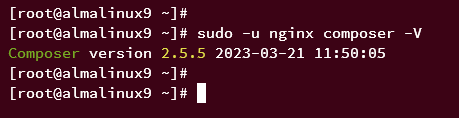
最后,运行以下命令确认 Composer 已安装并查看其版本。
sudo -u nginx composer -V在本文撰写时,通过 EPEL 仓库安装的是 Composer v2.5.5。
配置 Firewalld
安装完软件包依赖项后,下一步是配置 firewalld 并开放其上的 HTTP 和 HTTPS 协议。
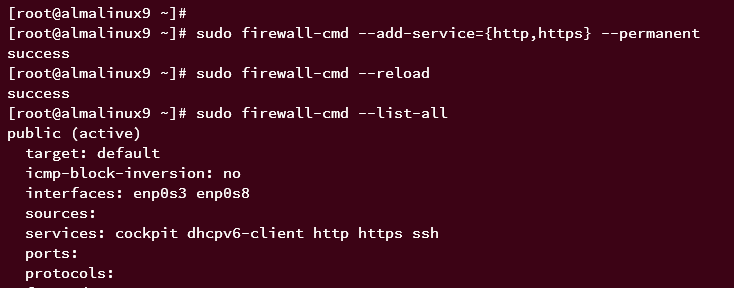
运行以下 firewall-cmd 命令开放 HTTP 和 HTTPS 服务。然后重新加载 firewalld 以使更改生效。
sudo firewall-cmd --add-service={http,https} --permanent
sudo firewall-cmd --reload
现在,使用以下命令查看 firewalld 上已开放的端口和服务列表。
sudo firewall-cmd --list-all在 services 部分,你应该能看到 HTTP 和 HTTPS 都已启用。
配置 MariaDB 服务器
在接下来的一节中,你将加固 MariaDB 服务器,并创建一个供 TYPO3 CMS 安装使用的新数据库和用户。
首先,运行 mariadb-secure-installation 命令来加固你的 MariaDB 安装。
sudo mariadb-secure-installation在整个过程中,会提示你进行一些 MariaDB 服务器配置。输入 Y 确认每一步。
- 将 MariaDB root 认证方式切换为 unix_socket?输入 n。
- 设置 MariaDB root 密码?输入 y,然后输入新密码并重复确认。
- 禁止 root 用户远程登录?输入 y。
- 删除默认的 test 数据库?再次输入 y。
- 删除默认的匿名用户?输入 y 确认。
- 重新加载权限表使更改生效?输入 y。
MariaDB 加固完成后,使用以下 mariadb 命令登录 MariaDB。当提示输入密码时,输入你的 MariaDB root 密码。
sudo mariadb -u root -p登录 MariaDB 后,运行以下查询来创建一个新数据库 typo3db、一个用户 typo3,以及密码 typo3password。
CREATE DATABASE typo3db CHARACTER SET utf8mb4 COLLATE utf8mb4_unicode_ci;
GRANT ALL PRIVILEGES ON typo3db.* to typo3@localhost IDENTIFIED BY 'typo3password';
FLUSH PRIVILEGES;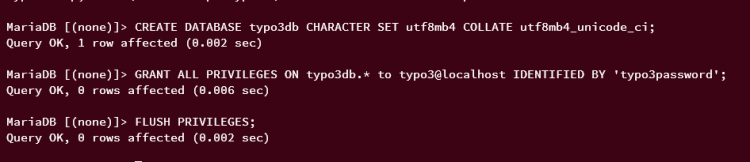
接下来,运行以下查询来验证 MariaDB 用户 typo3 的权限,并确保该用户可以访问数据库 typo3db。
SHOW GRANTS FOR typo3@localhost;在输出中,你应该能看到 MariaDB 用户 typo3 可以访问数据库 typo3db。
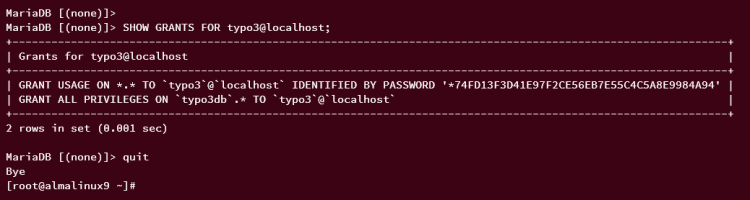
输入 quit 退出 MariaDB 服务器,完成该步骤。
配置 PHP-FPM
MariaDB 服务器配置完成后,下一步是配置 PHP-FPM 安装。你将把 PHP-FPM 与 Nginx Web 服务器集成。
首先,运行以下命令为你的系统设置默认时区。
sudo timedatectl set-timezone Europe/Stockholm现在使用 vim 编辑器命令打开 PHP 配置文件 /etc/php.ini。
sudo vim /etc/php.ini取消注释 date.timezone 参数,并将其值修改为正确的时区。
date.timezone = Europe/Stockholm
增加并启用一些 PHP 参数,如下所示。对于 memory_limit 参数,请根据你现有的内存大小进行调整。
memory_limit = 512M
max_execution_time = 300
max_input_vars = 2000
现在将 post_max_size 和 upload_max_filesize 参数增大到 30MB。
post_max_size = 30M
upload_max_filesize = 30M
完成后保存文件并退出编辑器。
接下来,使用 vim 编辑器打开 PHP-FPM 池配置文件 /etc/php-fpm.d/www.conf。
sudo vim /etc/php-fpm.d/www.conf将 user 和 group 参数的默认值修改为 nginx,如下所示:
user = nginx
group = nginx
保存文件并退出编辑器。
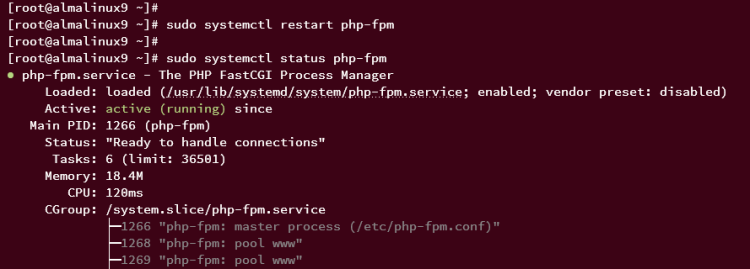
现在运行以下命令重启 PHP-FPM 服务以使更改生效。然后验证 PHP-FPM,确保它正在运行。
sudo systemctl restart php-fpm
sudo systemctl status php-fpm
如果正在运行,你应该会看到类似如下的输出:
此外,你还可以通过检查 PHP-FPM 的默认 socket 文件 /run/php-fpm/www.sock 来验证 PHP-FPM。运行以下 ss 命令获取系统上可用的 socket 列表,并过滤输出,仅显示 www.sock。
ss -pl | grep www.sock如果 PHP-FPM 正在运行,你应该会看到默认的 PHP-FPM socket 文件 /run/php-fpm/www.sock 可用,如下所示:

下载 TYPO3 CMS
TYPO3 CMS 有多种安装方式,在本演示中,你将通过 Composer 包管理器来安装 TYPO3 CMS。
运行以下命令创建一个新目录 /var/www/typo3。它将作为 TYPO3 CMS 安装的目标目录。
mkdir -p /var/www/typo3接下来,运行以下命令将目录 /var/www/typo3 的所有权更改为用户 nginx,并确保该目录所有者拥有读写权限。
sudo chown -R nginx:nginx /var/www/typo3
sudo chmod u+rw /var/www/typo3
现在,切换到 /var/www/typo3 目录并运行以下 Composer 命令下载 TYPO3 CMS 源代码。
cd /var/www/typo3
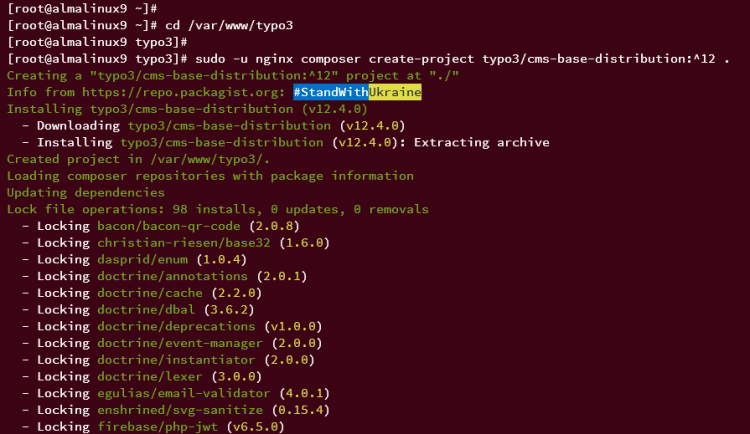
sudo -u nginx composer create-project typo3/cms-base-distribution:^12 .
安装运行时,你应该会看到类似如下的进程:
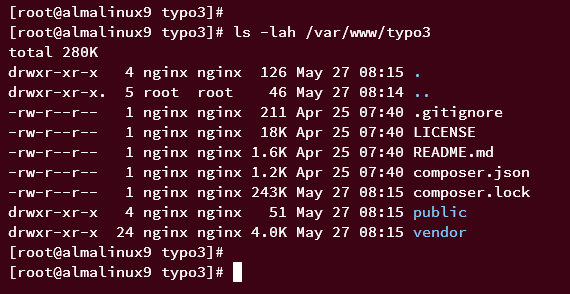
TYPO3 下载完成后,运行以下命令查看 /var/www/typo3 下的文件和目录列表。
ls -lah /var/www/typo3你应该会看到类似如下的文件和目录:
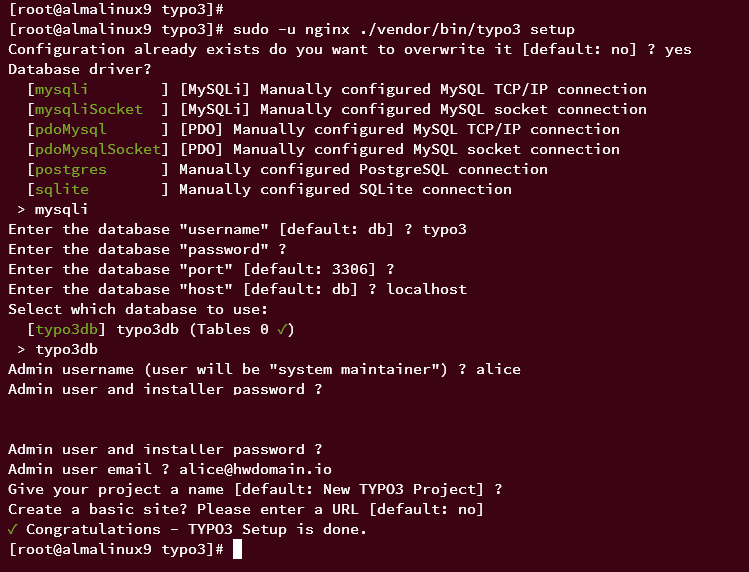
最后,运行 TYPO3 CMS 二进制文件开始配置,过程中会提示你输入一些配置。
sudo -u nginx ./vendor/bin/typo3 setup系统会要求你输入一些 TYPO3 CMS 的配置。
- 数据库驱动输入 mysqli。
- 输入数据库用户名、密码、端口和主机地址。
- 输入将用于 TYPO3 CMS 的数据库名称。本示例中数据库名称为 typo3db。
- 输入 TYPO3 CMS 的新管理员用户名、邮箱和密码。
- 对于项目名称和基础站点 URL,按 ENTER 键保留默认值。
TYPO3 CMS 配置完成后,你应该会看到提示信息 "Congratulations - TYPO3 Setup is done"(恭喜,TYPO3 安装完成)。
为 TYPO3 CMS 配置 Nginx 服务器块
安装并配置好 TYPO3 CMS 后,你将设置 TYPO3 CMS 的 Nginx 服务器块。在开始之前,请确保你的域名已指向服务器 IP 地址。
使用 vim 创建一个新的 Nginx 服务器块配置文件 /etc/nginx/conf.d/typo3.conf。
sudo vim /etc/nginx/conf.d/typo3.conf插入以下配置,并确保修改 server_name 参数中的目标域名。
server {
    listen       80;
    server_name  typo3.howtoforge.local;
    root         /var/www/typo3/public;
    index index.php;
    # Load configuration typo3.conf.
    include /etc/nginx/default.d/typo3-nginx.conf;
}
完成后保存并退出文件。
接下来,使用以下 vim 命令创建另一个配置文件 /etc/nginx/default.d/typo3-nginx.conf。
sudo vim /etc/nginx/default.d/typo3-nginx.conf将以下配置插入到文件中。这是 TYPO3 CMS 的主要 Nginx 配置。
# Compressing resource files will save bandwidth and so improve loading speed, especially for users
# with slower internet connections. TYPO3 can compress the .js and .css files for you.
# *) Set $GLOBALS['TYPO3_CONF_VARS']['BE']['compressionLevel'] = 9 for the Backend
# *) Set $GLOBALS['TYPO3_CONF_VARS']['FE']['compressionLevel'] = 9 together with the TypoScript properties
#    config.compressJs and config.compressCss for GZIP compression of Frontend JS and CSS files.
location ~ \.js\.gzip$ {
    add_header Content-Encoding gzip;
    gzip off;
    types { text/javascript gzip; }
}
location ~ \.css\.gzip$ {
    add_header Content-Encoding gzip;
    gzip off;
    types { text/css gzip; }
}
# TYPO3 - Rule for versioned static files, configured through:
# - $GLOBALS['TYPO3_CONF_VARS']['BE']['versionNumberInFilename']
# - $GLOBALS['TYPO3_CONF_VARS']['FE']['versionNumberInFilename']
if (!-e $request_filename) {
    rewrite ^/(.+)\.(\d+)\.(php|js|css|png|jpg|gif|gzip)$ /$1.$3 last;
}
# TYPO3 - Block access to composer files
location ~* composer\.(?:json|lock) {
    deny all;
}
# TYPO3 - Block access to flexform files
location ~* flexform[^.]*\.xml {
    deny all;
}
# TYPO3 - Block access to language files
location ~* locallang[^.]*\.(?:xml|xlf)$ {
    deny all;
}
# TYPO3 - Block access to static typoscript files
location ~* ext_conf_template\.txt|ext_typoscript_constants\.txt|ext_typoscript_setup\.txt {
    deny all;
}
# TYPO3 - Block access to miscellaneous protected files
location ~* /.*\.(?:bak|co?nf|cfg|ya?ml|ts|typoscript|tsconfig|dist|fla|in[ci]|log|sh|sql|sqlite)$ {
    deny all;
}
# TYPO3 - Block access to recycler and temporary directories
location ~ _(?:recycler|temp)_/ {
    deny all;
}
# TYPO3 - Block access to configuration files stored in fileadmin
location ~ fileadmin/(?:templates)/.*\.(?:txt|ts|typoscript)$ {
    deny all;
}
# TYPO3 - Block access to libraries, source and temporary compiled data
location ~ ^(?:vendor|typo3_src|typo3temp/var) {
    deny all;
}
# TYPO3 - Block access to protected extension directories
location ~ (?:typo3conf/ext|typo3/sysext|typo3/ext)/[^/]+/(?:Configuration|Resources/Private|Tests?|Documentation|docs?)/ {
    deny all;
}
location / {
    try_files $uri $uri/ /index.php$is_args$args;
}
location = /typo3 {
    rewrite ^ /typo3/;
}
location /typo3/ {
    absolute_redirect off;
    try_files $uri /typo3/index.php$is_args$args;
}
location ~ [^/]\.php(/|$) {
    fastcgi_split_path_info ^(.+?\.php)(/.*)$;
    if (!-f $document_root$fastcgi_script_name) {
        return 404;
    }
    fastcgi_buffer_size 32k;
    fastcgi_buffers 8 16k;
    fastcgi_connect_timeout 240s;
    fastcgi_read_timeout 240s;
    fastcgi_send_timeout 240s;
    # this is the PHP-FPM upstream - see also: https://www.nginx.com/resources/wiki/start/topics/examples/phpfcgi/#connecting-nginx-to-php-fpm
    fastcgi_pass         unix:/run/php-fpm/www.sock;
    fastcgi_index        index.php;
    include              fastcgi.conf;
}
完成后保存并关闭文件。
现在运行以下命令,确保 Nginx 配置正确。然后重启 Nginx 服务以使更改生效。
sudo nginx -t
sudo systemctl restart nginx
命令执行后,你应该会看到输出 "syntax ok - test is successful"(语法正确,测试成功),并且你的 TYPO3 CMS 安装应该可以访问了。
使用 SSL/TLS 加固 TYPO3 CMS
在接下来的一节中,你将使用由 Letsencrypt 生成的 SSL/TLS 证书来加固 TYPO3 CMS 安装。为此,你必须在系统上安装 Certbot。
运行以下 dnf 命令安装 Certbot 以及 Nginx 的 Certbot 插件。输入 y 确认安装,然后按 ENTER 键。
sudo dnf install certbot python3-certbot-nginx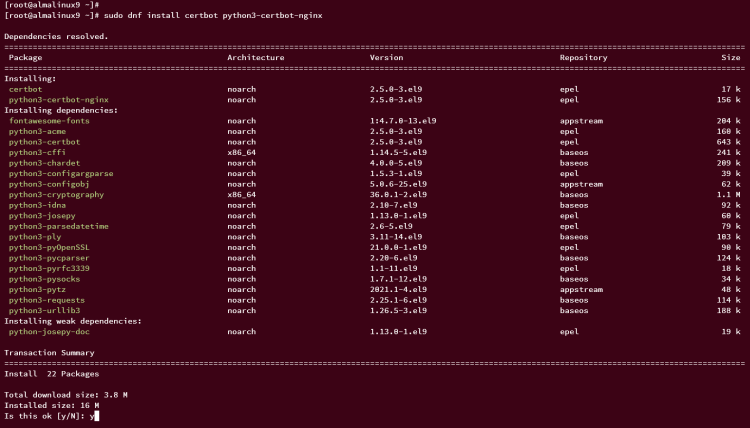
现在运行以下命令为 TYPO3 CMS 从 Letsencrypt 生成新的 SSL 证书。请务必修改域名和电子邮件地址。
sudo certbot --nginx --agree-tos --no-eff-email  --redirect --hsts --staple-ocsp --email
[email protected]
 -d typo3.howtoforge.local
如果过程顺利,新的 SSL 证书将生成在 /etc/letsencrypt/live/typo3.howtoforge.local 目录下。同时,TYPO3 CMS 的服务器块配置也会通过 certbot 自动启用 SSL。
打开你的网页浏览器,访问 TYPO3 CMS 的安装地址(例如:https://typo3.howtoforge.local/)。你应该会看到 TYPO3 CMS 的登录界面。
输入你创建的管理员用户名和密码,然后点击 Login(登录)。
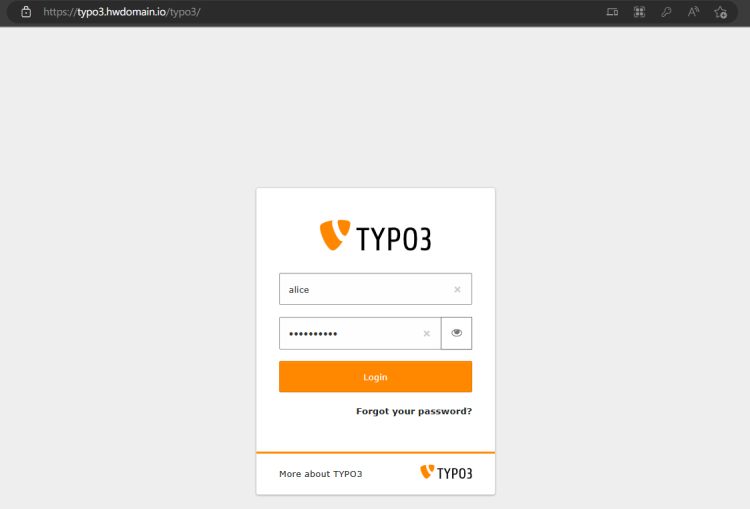
如果管理员用户名和密码正确,你应该会看到类似如下的 TYPO3 CMS 管理员仪表盘:
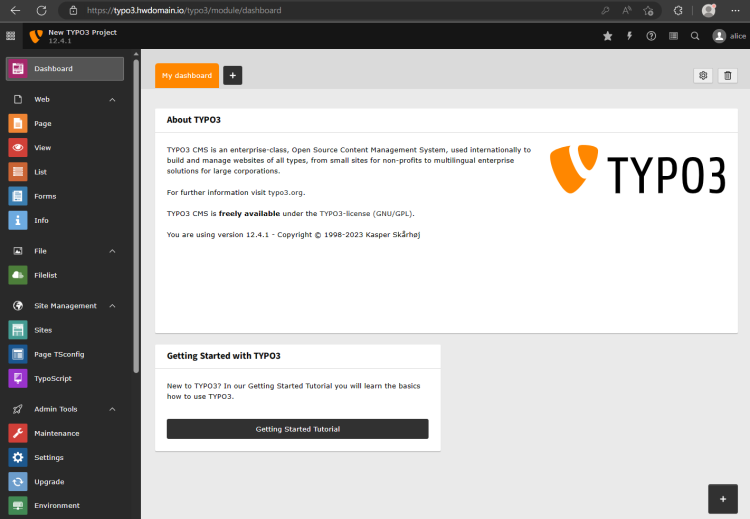
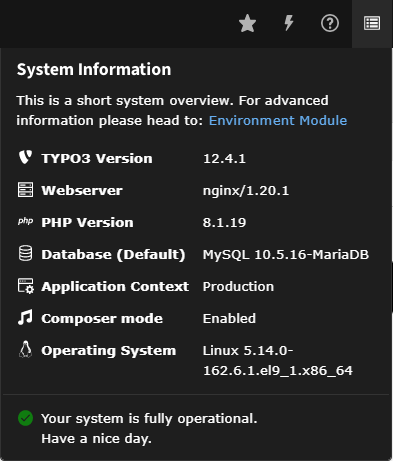
在右上角菜单中,点击信息图标,你应该能看到当前用于 TYPO3 CMS 安装的软件栈详情。在本演示中,安装的 TYPO3 CMS 版本为 v12,搭配 Nginx Web 服务器、MariaDB 数据库服务器和 PHP-FPM 8.1。
结语
大功告成!你已经在 AlmaLinux 9 服务器上完成了 TYPO3 CMS 的安装,搭配了 MariaDB 数据库服务器、PHP-FPM 和 Nginx Web 服务器。你还通过 Letsencrypt 的 SSL/TLS 证书加固了部署。至此,你可以通过 TYPO3 CMS 创建新站点了。