
本页内容
- 前置条件
- 步骤 1 - 配置防火墙
- 步骤 2 - 安装 PHP 及其扩展
- 步骤 3 - 安装 Composer
- 步骤 4 - 安装 MySQL
- 步骤 5 - 配置 MySQL
- 步骤 6 - 安装 Nginx
- 步骤 7 - 安装 SSL
- 步骤 8 - 安装 Wallabag
- 步骤 9 - 配置 SELinux
- 步骤 10 - 配置 Nginx 和 PHP 配置 PHP-FPM 配置 Nginx
- 步骤 11 - 访问 Wallabag
- 结论
- 配置 PHP-FPM
- 配置 Nginx
Wallabag 是一种稍后读(read-it-later)类的服务。它允许你保存网页,以便日后从容地阅读。有很多类似的服务可以实现这一点,比如 Pocket、Instapaper 等,但在你自己的服务器上部署这样的服务要更好得多。首先,它不会倒闭并随之把你的链接一并清除。
本教程将介绍如何在运行 Rocky Linux 9 的服务器上安装和配置 Wallabag。同时也会介绍如何配置 Nginx、MySQL、Composer 和 PHP,这些都是 Wallabag 运行所必需的组件。
前置条件
- 一台运行 Rocky Linux 9 的服务器。
- 一个具有 sudo 权限的非 root 用户。
- 一个完全限定域名(FQDN),例如 wallabag.example.com。
- 确保一切都已更新。 $ sudo dnf update
- 系统需要的几个软件包。 $ sudo dnf install wget curl nano unzip yum-utils -y 这些软件包中的部分可能已经安装在你的系统上。
一台运行 Rocky Linux 9 的服务器。
一个具有 sudo 权限的非 root 用户。
一个完全限定域名(FQDN),例如 wallabag.example.com。
确保一切都已更新。
$ sudo dnf update
系统需要的几个软件包。
$ sudo dnf install wget curl nano unzip yum-utils -y
这些软件包中的部分可能已经安装在你的系统上。
步骤 1 - 配置防火墙
第一步是配置防火墙。Rocky Linux 使用 Firewalld 防火墙。检查防火墙的状态。
$ sudo firewall-cmd --state
running
防火墙使用不同的区域(zone),我们将使用默认的公共区域(public zone)。列出防火墙上所有已激活的服务和端口。
$ sudo firewall-cmd --permanent --list-services
它应显示如下输出。
cockpit dhcpv6-client ssh
Wallabag 需要 HTTP 和 HTTPS 端口才能正常工作。将它们开放。
$ sudo firewall-cmd --permanent --add-service=http
$ sudo firewall-cmd --permanent --add-service=https
重新加载防火墙以应用更改。
$ sudo firewall-cmd --reload
再次列出所有服务。
$ sudo firewall-cmd --permanent --list-services
你应该得到如下输出。
cockpit dhcpv6-client http https ssh
步骤 2 - 安装 PHP 及其扩展
我们需要安装 PHP 8.1 才能让 Wallabag 正常工作。第一步是获取 Epel 仓库。
$ sudo dnf install epel-release -y
接下来,安装 Remi 仓库。
$ sudo dnf install https://rpms.remirepo.net/enterprise/remi-release-9.rpm
查看可用的 PHP 软件流(stream)。
$ dnf module list php -y
Name                                   Stream                   Profiles                                        Summary
php                                    8.1                      common [d], devel, minimal                      PHP scripting language

Remi's Modular repository for Enterprise Linux 9 - x86_64
Name                                   Stream                   Profiles                                        Summary
php                                    remi-7.4                 common [d], devel, minimal                      PHP scripting language
php                                    remi-8.0                 common [d], devel, minimal                      PHP scripting language
php                                    remi-8.1                 common [d], devel, minimal                      PHP scripting language
php                                    remi-8.2                 common [d], devel, minimal                      PHP scripting language

Hint: [d]efault, [e]nabled, [x]disabled, [i]nstalled
默认版本是 8.1。启用 Remi 的 PHP 8.1 仓库。
$ sudo dnf module reset php -y
$ sudo dnf module enable php:remi-8.1
安装 PHP 以及 Wallabag 所需的扩展。
$ sudo dnf install php-fpm php-mysql php-bcmath php-xml php-zip php-curl php-mbstring php-gd php-tidy php-intl php-cli php-opcache
验证安装。
$ php --version
PHP 8.1.16 (cli) (built: Feb 14 2023 18:59:41) (NTS gcc x86_64)
Copyright (c) The PHP Group
Zend Engine v4.1.16, Copyright (c) Zend Technologies
    with Zend OPcache v8.1.16, Copyright (c), by Zend Technologies
打开文件 /etc/php-fpm.d/www.conf。
$ sudo nano /etc/php-fpm.d/www.conf
在文件中找到 user=apache 和 group=apache 这两行,并按如下方式修改它们。
...
; Unix user/group of processes
; Note: The user is mandatory. If the group is not set, the default user's group
;       will be used.
; RPM: apache user chosen to provide access to the same directories as httpd
user = nginx
; RPM: Keep a group allowed to write in log dir.
group = nginx
...
接下来,取消注释 socket 文件的拥有者、组和默认权限这一行,并按如下方式修改。
; Set permissions for unix socket, if one is used. In Linux, read/write
; permissions must be set in order to allow connections from a web server.
; Default Values: user and group are set as the running user
;                 mode is set to 0660
listen.owner = nginx
listen.group = nginx
listen.mode = 0660
接下来,按如下方式在前面加上分号,将下面这一行注释掉。
;listen.acl_users = apache,nginx
按下 Ctrl + X 保存文件,并在提示时输入 Y。
为 PHP 会话目录赋予正确的权限。
$ sudo chown -R nginx:nginx /var/lib/php/session/
启用并启动 PHP-FPM 服务。
$ sudo systemctl enable php-fpm --now
步骤 3 - 安装 Composer
Composer 是 PHP 的依赖管理工具,是安装 Wallabag 所必需的。
运行以下命令下载 Composer 二进制文件。Wallabag 仅支持 Composer 2.2 LTS,因此我们相应地修改了命令。
$ php -r "copy('https://getcomposer.org/installer', 'composer-setup.php');"
$ php composer-setup.php --2.2
$ php -r "unlink('composer-setup.php');"
将二进制文件移动到 /usr/local/bin 目录来安装 Composer。
$ sudo mv composer.phar /usr/local/bin/composer
通过检查其版本来验证安装。
$ composer --version
Composer version 2.2.21 2023-02-15 13:07:40
步骤 4 - 安装 MySQL
Rocky Linux 9 自带最新版本的 MySQL。你可以用一条命令安装它。
$ sudo dnf install mysql-server
检查 MySQL 的版本。
$ mysql --version
mysql  Ver 8.0.30 for Linux on x86_64 (Source distribution)
启用并启动 MySQL 服务。
$ sudo systemctl enable mysqld --now
运行 MySQL 安全安装脚本。
$ sudo mysql_secure_installation
系统会询问是否安装 Validate Password Component(密码强度校验组件)。它会检查 MySQL 中所用密码的强度。按 Y 安装它。接下来,会询问设置密码校验策略的级别。选择 2,因为它是最强的一级。
Securing the MySQL server deployment.

Connecting to MySQL using a blank password.

VALIDATE PASSWORD COMPONENT can be used to test passwords
and improve security. It checks the strength of password
and allows the users to set only those passwords which are
secure enough. Would you like to setup VALIDATE PASSWORD component?

Press y|Y for Yes, any other key for No: Y

There are three levels of password validation policy:

LOW    Length >= 8
MEDIUM Length >= 8, numeric, mixed case, and special characters
STRONG Length >= 8, numeric, mixed case, special characters and dictionary                  file

Please enter 0 = LOW, 1 = MEDIUM and 2 = STRONG: 2
Using existing password for root.

Estimated strength of the password: 100
接下来,会要求你设置一个新的 root 密码。请按照上面设定的要求输入密码。在提示时输入 Y 以继续使用所选的 root 密码。
Please set the password for root here.

New password:

Re-enter new password:

Estimated strength of the password: 100
Do you wish to continue with the password provided?(Press y|Y for Yes, any other key for No) : Y
接下来,输入 Y 以删除匿名用户、禁止远程 root 登录、删除测试数据库并重新加载权限表。
By default, a MySQL installation has an anonymous user,
allowing anyone to log into MySQL without having to have
a user account created for them. This is intended only for
testing, and to make the installation go a bit smoother.
You should remove them before moving into a production
environment.

Remove anonymous users? (Press y|Y for Yes, any other key for No) : Y
Success.


Normally, root should only be allowed to connect from
'localhost'. This ensures that someone cannot guess at
the root password from the network.

Disallow root login remotely? (Press y|Y for Yes, any other key for No) : Y
Success.

By default, MySQL comes with a database named 'test' that
anyone can access. This is also intended only for testing,
and should be removed before moving into a production
environment.


Remove test database and access to it? (Press y|Y for Yes, any other key for No) : Y
 - Dropping test database...
Success.

 - Removing privileges on test database...
Success.

Reloading the privilege tables will ensure that all changes
made so far will take effect immediately.

Reload privilege tables now? (Press y|Y for Yes, any other key for No) : Y
Success.

All done!
步骤 5 - 配置 MySQL
登录到 MySQL shell。在提示时输入你的 root 密码。
$ sudo mysql -u root -p
创建一个示例数据库。
mysql> CREATE DATABASE wallabag;
创建一个 SQL 用户账户。
mysql> CREATE USER 'wallabaguser'@'localhost' IDENTIFIED BY 'Your_password2';
将该数据库的所有权限授予该用户。
mysql> GRANT ALL PRIVILEGES ON wallabag.* TO 'wallabaguser'@'localhost';
刷新用户权限。
mysql> FLUSH PRIVILEGES;
退出 shell。
mysql> exit
步骤 6 - 安装 Nginx
Rocky Linux 9 自带较旧版本的 Nginx。你需要下载官方的 Nginx 仓库来安装最新版本。
创建并打开 /etc/yum.repos.d/nginx.repo 文件,用于创建官方的 Nginx 仓库。
$ sudo nano /etc/yum.repos.d/nginx.repo
在其中粘贴以下代码。
[nginx-stable]
name=nginx stable repo
baseurl=http://nginx.org/packages/centos/$releasever/$basearch/
gpgcheck=1
enabled=1
gpgkey=https://nginx.org/keys/nginx_signing.key
module_hotfixes=true

[nginx-mainline]
name=nginx mainline repo
baseurl=http://nginx.org/packages/mainline/centos/$releasever/$basearch/
gpgcheck=1
enabled=0
gpgkey=https://nginx.org/keys/nginx_signing.key
module_hotfixes=true
按下 Ctrl + X 保存文件,并在提示时输入 Y。
安装 Nginx 服务器。
$ sudo dnf install -y nginx
验证安装。
$ nginx -v
nginx version: nginx/1.22.1
启用并启动 Nginx 服务器。
$ sudo systemctl enable nginx --now
检查服务器的状态。
$ sudo systemctl status nginx
? nginx.service - nginx - high performance web server
     Loaded: loaded (/usr/lib/systemd/system/nginx.service; enabled; vendor preset: disabled)
     Active: active (running) since Tue 2023-02-28 08:01:34 UTC; 5s ago
       Docs: http://nginx.org/en/docs/
    Process: 1489 ExecStart=/usr/sbin/nginx -c /etc/nginx/nginx.conf (code=exited, status=0/SUCCESS)
   Main PID: 1490 (nginx)
      Tasks: 2 (limit: 5873)
     Memory: 1.9M
        CPU: 8ms
     CGroup: /system.slice/nginx.service
             ??1490 "nginx: master process /usr/sbin/nginx -c /etc/nginx/nginx.conf"
             ??1491 "nginx: worker process"
步骤 7 - 安装 SSL
我们需要安装 Certbot 来生成 SSL 证书。
我们将使用 Snapd 软件包安装器来完成。由于 Rocky Linux 默认未附带它,请安装 Snapd 安装器。它需要 EPEL 仓库才能工作,而我们之前为 PHP 已经安装过了,因此可以跳过这一步。
安装 Snapd。
$ sudo dnf install -y snapd
启用并启动 Snap 服务。
$ sudo systemctl enable snapd --now
安装 Snap core 软件包,并确保你的 Snapd 版本是最新的。
$ sudo snap install core && sudo snap refresh core
创建 Snapd 工作所需的链接。
$ sudo ln -s /var/lib/snapd/snap /snap
$ echo 'export PATH=$PATH:/var/lib/snapd/snap/bin' | sudo tee -a /etc/profile.d/snapd.sh
执行以下命令来安装 Certbot。
$ sudo snap install --classic certbot
使用以下命令,通过创建指向 /usr/bin 目录的符号链接,确保 Certbot 命令可以运行。
$ sudo ln -s /snap/bin/certbot /usr/bin/certbot
验证安装。
$ certbot --version
certbot 2.3.0
运行以下命令生成 SSL 证书。
$ sudo certbot certonly --nginx --agree-tos --no-eff-email --staple-ocsp --preferred-challenges http -m
[email protected]
 -d wallabag.example.com
上述命令会将证书下载到服务器上的 /etc/letsencrypt/live/wallabag.example.com 目录。
生成 Diffie-Hellman 组证书。
$ sudo openssl dhparam -dsaparam -out /etc/ssl/certs/dhparam.pem 4096
检查 Certbot 续期调度服务。
$ sudo systemctl list-timers
你会看到 snap.certbot.renew.service 是已计划运行的服务之一。
NEXT                        LEFT          LAST                        PASSED        UNIT                      ACTIVATES
.....
Sun 2023-02-28 06:32:00 UTC 9h left       Sat 2023-02-28 18:04:05 UTC 2h 59min ago  snap.certbot.renew.timer  snap.certbot.renew.service
Sun 2023-02-28 06:43:20 UTC 9h left       Sat 2023-02-28 10:49:23 UTC 10h ago       apt-daily-upgrade.timer   apt-daily-upgrade.service
Sun 2023-02-28 09:00:06 UTC 11h left      Sat 2023-02-28 20:58:06 UTC 5min ago      apt-daily.timer           apt-daily.service
对流程进行试运行,以检查 SSL 续期是否正常工作。
$ sudo certbot renew --dry-run
如果未出现错误,说明一切就绪。你的证书将自动续期。
步骤 8 - 安装 Wallabag
创建 /var/www/wallabag/html 目录。
$ sudo mkdir /var/www/html/wallabag -p
下载最新版本的 Wallabag。
$ wget https://wllbg.org/latest-v2-package
解压归档文件。
$ tar xzf latest-v2-package
将解压目录中的文件移动到之前创建的目录。请根据正确的版本号修改命令。你可以从 GitHub releases 页面查看 Wallabag 的最新版本。撰写本教程时的最新版本是 2.5.4。
$ sudo mv wallabag-2.5.4/* /var/www/html/wallabag
创建 asset 目录。
$ sudo mkdir /var/www/html/wallabag/data/assets
将 /var/www/html/wallabag 目录的权限更改为当前登录的用户。
$ sudo chown -R $USER:$USER /var/www/html/wallabag
切换到该目录。
$ cd /var/www/html/wallabag
通过复制示例文件来创建 parameters.yml 文件。
$ cp app/config/parameters.yml.dist app/config/parameters.yml
在开始配置 Wallabag 之前,先生成一个密钥(secret key)。记下该密钥,稍后会用到。
$ openssl rand -base64 32
QLV/GpZwDobQbyQZQ15FkM1Hvt+ZFJZXw8GW9F4KR3o=
打开 parameters 文件进行编辑。
$ nano app/config/parameters.yml
找到以下部分并填写数据库凭据。对于 MySQL,数据库端口为 3306。
..........
    database_driver: pdo_mysql
    database_host: 127.0.0.1
    database_port: 3306
    database_name: wallabag
    database_user: wallabaguser
    database_password: Your_password2
填写服务器描述和域名。
    domain_name: https://wallabag.example.com
    server_name: "Howtoforge Wallabag"
填写你的 SMTP 详细信息。在我们的示例中,使用的是 Amazon SES 服务。
    mailer_transport:  smtp
    mailer_user:       YOUR_AES_USERNAME
    mailer_password:   YOUR_AES_PASSWORD
    mailer_host:       email-smtp.us-west-2.amazonaws.com
    mailer_port:       587
    mailer_encryption: tls
填写之前生成的密钥。如果你想保留双因素认证,请确保应用以下设置。如果你想关闭用户注册,请将 fouser_registration 的值设为 false。fouser_confirmation 变量默认设为 true,这意味着每个用户注册都需要通过邮件确认。将 from_email 变量的值改为你选择的邮箱地址。
    # A secret key that's used to generate certain security-related tokens
    secret: QLV/GpZwDobQbyQZQ15FkM1Hvt+ZFJZXw8GW9F4KR3o=

    # two factor stuff
    twofactor_auth: true
    twofactor_sender:
[email protected]


    # fosuser stuff
    fosuser_registration: true
    fosuser_confirmation: true
.....
    from_email:
[email protected]

.....
还有更多与 Redis、RabbitMQ 和 Sentry 设置相关的配置项。你可以在安装上述软件包后,按需进行配置。
按下 Ctrl + X 保存文件,并在提示时输入 Y。
使用 Composer 下载并安装 Wallabag 所需的依赖。
$ SYMFONY_ENV=prod composer install --no-dev -o --prefer-dist
使用 Wallabag 命令行工具完成安装。
$ php bin/console wallabag:install --env=prod
系统会提示你是否要重置数据库及其结构。两次都回答 no。接下来,会询问你是否要创建一个管理员账户。输入 yes 继续,并输入该账户的用户名、密码和邮箱地址。
wallabag installer
==================

Step 1 of 4: Checking system requirements.
------------------------------------------

 ------------------------ -------- ----------------
  Checked                  Status   Recommendation
 ------------------------ -------- ----------------
  PDO Driver (pdo_mysql)   OK!
  Database connection      OK!
  Database version         OK!
  curl_exec                OK!
  curl_multi_init          OK!
 ------------------------ -------- ----------------

 [OK] Success! Your system can run wallabag properly.


Step 2 of 4: Setting up database.
---------------------------------

 It appears that your database already exists. Would you like to reset it? (yes/no) [no]:
 > no

 Seems like your database contains schema. Do you want to reset it? (yes/no) [no]:
 > no

 Clearing the cache...

 Database successfully setup.

Step 3 of 4: Administration setup.
----------------------------------

 Would you like to create a new admin user (recommended)? (yes/no) [yes]:
 > yes

 Username [wallabag]:
 > navjot

 Password [wallabag]:
 >

 Email [
[email protected]
]:
 >
[email protected]


 Administration successfully setup.

Step 4 of 4: Config setup.
--------------------------

 Config successfully setup.

 [OK] wallabag has been successfully installed.

 [OK] You can now configure your web server, see https://doc.wallabag.org
将目录权限交还给 Nginx。
$ sudo chown -R nginx:nginx /var/www/html/wallabag
步骤 9 - 配置 SELinux
更改 Wallabag 及其子目录的文件安全上下文。
$ sudo semanage fcontext -a -t httpd_sys_content_t "/var/www/html/wallabag(/.*)?"
$ sudo semanage fcontext -a -t httpd_sys_rw_content_t "/var/www/html/wallabag/data(/.*)?"
$ sudo semanage fcontext -a -t httpd_log_t "/var/www/html/wallabag/var/logs(/.*)?"
$ sudo semanage fcontext -a -t httpd_cache_t "/var/www/html/wallabag/var/cache(/.*)?"
应用策略。
$ sudo restorecon -R -v /var/www/html/wallabag
应用策略以允许 Nginx 访问 MySQL。
$ sudo setsebool -P httpd_can_network_connect_db 1
步骤 10 - 配置 Nginx 和 PHP
配置 PHP-FPM
打开文件 /etc/php/8.1/fpm/pool.d/www.conf。
$ sudo nano /etc/php/8.1/fpm/pool.d/www.conf
我们需要将 PHP 进程的 Unix 用户/组设置为 nginx。在文件中找到 user=www-data 和 group=www-data 这两行,并将其改为 nginx。
...
; Unix user/group of processes
; Note: The user is mandatory. If the group is not set, the default user's group
;       will be used.
; RPM: apache user chosen to provide access to the same directories as httpd
user = nginx
; RPM: Keep a group allowed to write in log dir.
group = nginx
...
接下来,取消注释 socket 文件的拥有者、组和默认权限这一行,并按如下方式修改。
; Set permissions for unix socket, if one is used. In Linux, read/write
; permissions must be set in order to allow connections from a web server.
; Default Values: user and group are set as the running user
;                 mode is set to 0660
listen.owner = nginx
listen.group = nginx
listen.mode = 0660
接下来,按如下方式在前面加上分号,将下面这一行注释掉。
;listen.acl_users = apache,nginx
按下 Ctrl + X 保存文件,并在提示时输入 Y。
将 PHP-FPM 和 PHP-CLI 的执行时间增加到 60 秒。
$ sudo sed -i 's/max_execution_time = 30/max_execution_time = 60/' /etc/php/8.1/fpm/php.ini
$ sudo sed -i 's/max_execution_time = 30/max_execution_time = 60/' /etc/php/8.1/cli/php.ini
将 PHP-FPM 的内存限制从 128MB 提高到 256MB。
$ sudo sed -i 's/memory_limit = 128M/memory_limit = 256M/' /etc/php/8.1/fpm/php.ini
重启 PHP-FPM 服务。
$ sudo systemctl restart php8.1-fpm
将 PHP 会话目录的组改为 Nginx。
$ sudo chgrp -R nginx /var/lib/php/sessions
配置 Nginx
创建并打开文件 /etc/nginx/conf.d/wallabag.conf 进行编辑。
$ sudo nano /etc/nginx/conf.d/wallabag.conf
在其中粘贴以下代码。
server {
    listen       443 ssl http2;
    listen       [::]:443 ssl http2;
    server_name  wallabag.example.com;

    access_log  /var/log/nginx/wallabag.access.log;
    error_log   /var/log/nginx/wallabag.error.log;

	# SSL
    ssl_certificate      /etc/letsencrypt/live/wallabag.example.com/fullchain.pem;
    ssl_certificate_key  /etc/letsencrypt/live/wallabag.example.com/privkey.pem;
    ssl_trusted_certificate /etc/letsencrypt/live/wallabag.example.com/chain.pem;
    ssl_session_timeout  5m;
    ssl_session_cache shared:MozSSL:10m;
    ssl_session_tickets off;
    ssl_protocols TLSv1.2 TLSv1.3;
    ssl_prefer_server_ciphers on;
    ssl_ciphers ECDHE-ECDSA-AES128-GCM-SHA256:ECDHE-RSA-AES128-GCM-SHA256:ECDHE-ECDSA-AES256-GCM-SHA384:ECDHE-RSA-AES256-GCM-SHA384:ECDHE-ECDSA-CHACHA20-POLY1305:ECDHE-RSA-CHACHA20-POLY1305:DHE-RSA-AES128-GCM-SHA256:DHE-RSA-AES256-GCM-SHA384;
    ssl_ecdh_curve X25519:prime256v1:secp384r1:secp521r1;
    ssl_stapling on;
    ssl_stapling_verify on;
    ssl_dhparam /etc/ssl/certs/dhparam.pem;
    resolver 8.8.8.8;

    root /var/www/html/wallabag/web;

    location / {
        try_files $uri /app.php$is_args$args;
    }

    # Pass PHP Scripts To FastCGI Server
    location ~ ^/app\.php(/|$) {
        fastcgi_split_path_info ^(.+\.php)(/.*)$;
        fastcgi_pass unix:/run/php/php8.1-fpm.sock; # Depends On The PHP Version
        fastcgi_param SCRIPT_FILENAME  $realpath_root$fastcgi_script_name;
        fastcgi_param DOCUMENT_ROOT $realpath_root;
        include fastcgi_params;
        internal;
    }

    location ~ \.php$ {
        return 404;
    }
}

# enforce HTTPS
server {
    listen       80;
    listen       [::]:80;
    server_name  wallabag.example.com;
    return 301   https://$host$request_uri;
}
注意,Nginx 配置中使用的根目录是 /var/www/html/wallabag/public/。
完成后按下 Ctrl + X 保存文件,并在提示时输入 Y。
打开文件 /etc/nginx/nginx.conf 进行编辑。
$ sudo nano /etc/nginx/nginx.conf
在 include /etc/nginx/conf.d/*.conf; 这一行之前添加以下一行。
server_names_hash_bucket_size 64;
按下 Ctrl + X 保存文件,并在提示时输入 Y。
验证 Nginx 配置文件的语法。
$ sudo nginx -t
nginx: the configuration file /etc/nginx/nginx.conf syntax is ok
nginx: configuration file /etc/nginx/nginx.conf test is successful
重启 Nginx 服务。
$ sudo systemctl restart nginx
步骤 11 - 访问 Wallabag
在浏览器中打开 URL https://wallabag.example.com,你将看到如下登录界面。
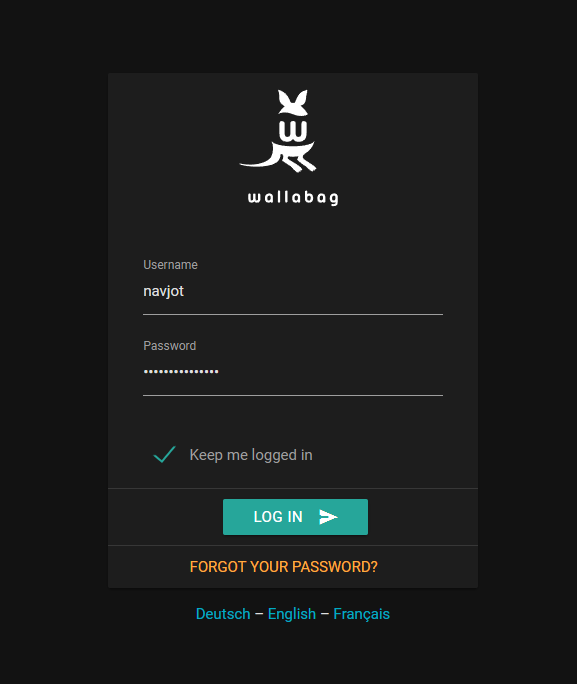
输入在安装过程中创建的凭据,然后按下 LOG IN 按钮继续。你将进入 Wallabag 仪表盘。
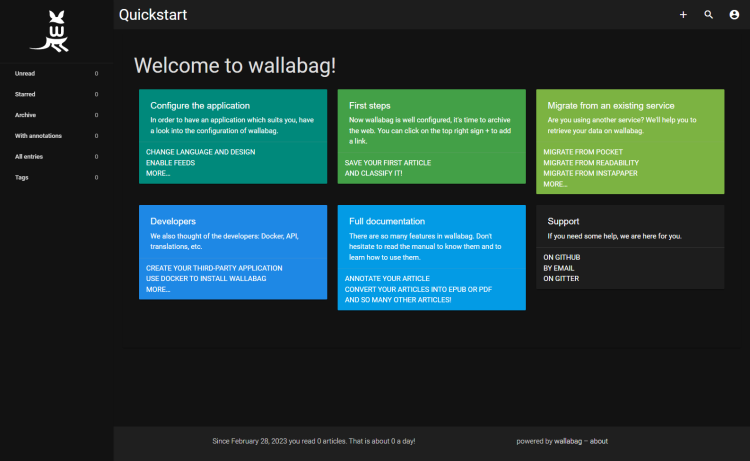
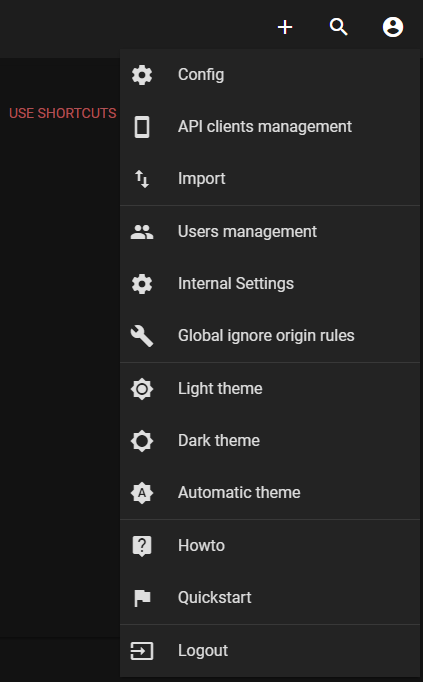
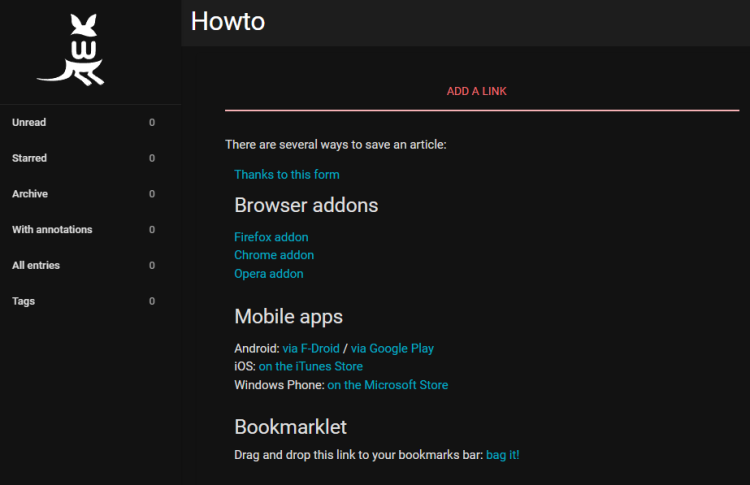
Wallabag 为你提供适用于各种浏览器、手机或电子书阅读器的多种应用,你可以使用它们添加链接。如果其他都不合你意,你甚至可以使用 Bookmarklet(书签小工具),其详细说明可通过点击仪表盘右上角的用户图标,在 How to(使用指南)部分查看。
你将获得浏览器扩展、手机应用以及 Wallabag bookmarklet 的链接。
就是这样。你可以开始使用 Wallabag 来保存文章,以便日后阅读。
结论
至此,关于在 Rocky Linux 9 服务器上安装 Wallabag 的教程就结束了。如果你有任何问题,请在下方评论中留言。