
本页内容
- 先决条件
- 我们要做什么?
- 使用 Cloudformation Stack 创建 Standard Queue
- 使用 Cloudformation Stack 创建 FIFO Queue
- 结论
AWS Simple Queue Service (SQS) 是一项完全托管的消息队列服务,使我们能够解耦和扩展微服务、无服务器应用程序和分布式系统。使用 SQS,我们可以在软件组件之间发送、存储和接收消息,而不会丢失消息。AWS SQS 提供两种类型的消息队列:Standard queues 和 FIFO Queues。要了解更多关于 SQS Queues 的信息,请搜索“How to create an SQS Queue on AWS?”一文。
AWS CloudFormation 允许我们使用编程语言(yaml/json)或简单的文本文件来建模和预置应用程序所需的所有资源。这为我们的 AWS 资源提供了单一的事实来源。
在本文中,我们将了解使用 Cloudformation Stack 创建 Standard 和 FIFO Queue 的步骤。
先决条件
- AWS 账户(如果没有,请创建一个)。
- 对 Cloudformation Stack 有基本了解。
- 对 SQS Queues 有基本了解。
我们要做什么?
- 登录 AWS。
- 使用 Cloudformation Stack 创建 Standard Queue
- 使用 Cloudformation Stack 创建 FIFO Queue
登录 AWS
- 点击此处前往 AWS 登录页面。
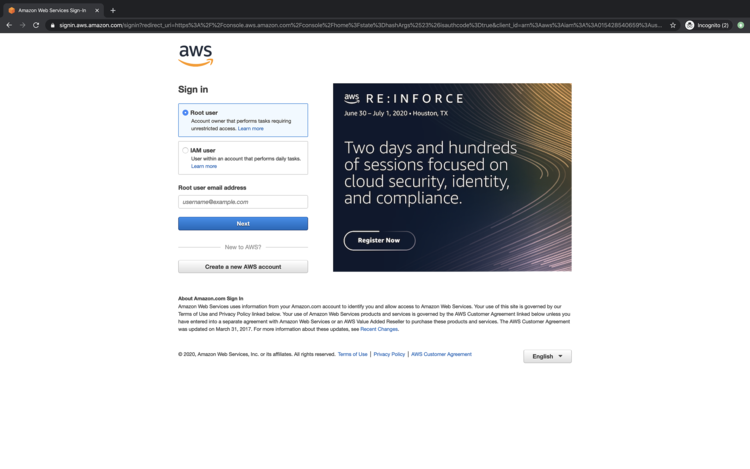
当我们点击上述链接时,我们将看到如下网页,需要使用我们的登录信息进行登录。
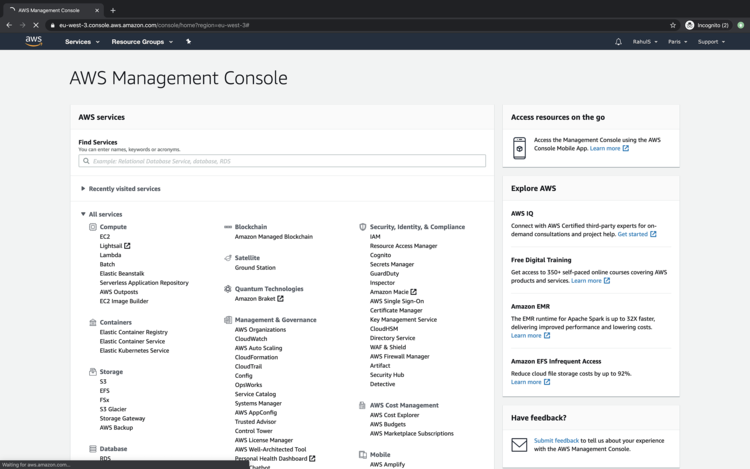
成功登录 AWS 后,我们将看到列出所有服务的主控制台。
使用 Cloudformation Stack 创建 Standard Queue
在继续创建 Standard Queue 之前,请复制以下代码块中的代码,或从此处下载模板并保存到您的本地计算机上。创建 Cloudformation Stack 时将需要此模板。
---
AWSTemplateFormatVersion: '2010-09-09'
Description: This stack creates a Standard Queue
Parameters:
  DelaySeconds:
    Description: "The time in seconds that the delivery of all messages in the queue is delayed"
    Type: Number
    Default: '5'
  MaximumMessageSize:
    Type: Number
    Description: "The limit of how many bytes that a message can contain before Amazon SQS rejects it"
    Default: '262144'
  MessageRetentionPeriod:
    Description: "The number of seconds that Amazon SQS retains a message."
    Type: Number
    Default: '345600'
  ReceiveMessageWaitTimeSeconds:
    Description: "Specifies the duration, in seconds, that the ReceiveMessage action call waits until a message is in the queue in order to include it in the response"
    Type: Number
    Default: '0'
  UsedeadletterQueue:
    Description: "A dead-letter queue is a queue that other (source) queues can target for messages that can't be processed (consumed) successfully."
    Type: String
    AllowedValues:
    - 'true'
    - 'false'
    Default: 'false'
  VisibilityTimeout:
    Description: "This should be longer than the time it would take to process and delete a message"
    Type: Number
    Default: '5'
Mappings: {}
Conditions:
  CreateDeadLetterQueue:
    Fn::Equals:
    - Ref: UsedeadletterQueue
    - 'true'
Resources:
  SQSQueue:
    Type: AWS::SQS::Queue
    Properties:
      DelaySeconds:
        Ref: DelaySeconds
      MaximumMessageSize:
        Ref: MaximumMessageSize
      MessageRetentionPeriod:
        Ref: MessageRetentionPeriod
      ReceiveMessageWaitTimeSeconds:
        Ref: ReceiveMessageWaitTimeSeconds
      RedrivePolicy:
        Fn::If:
        - CreateDeadLetterQueue
        - deadLetterTargetArn:
            Fn::GetAtt:
            - MyDeadLetterQueue
            - Arn
          maxReceiveCount: 5
        - Ref: AWS::NoValue
      VisibilityTimeout:
        Ref: VisibilityTimeout
  MyDeadLetterQueue:
    Condition: CreateDeadLetterQueue
    Type: AWS::SQS::Queue
Outputs:
  QueueURL:
    Description: URL of the created SQS
    Value:
      Ref: SQSQueue
  QueueARN:
    Description: ARN of the created SQS
    Value:
      Fn::GetAtt:
      - SQSQueue
      - Arn
  QueueName:
    Description: Name of the created SQS
    Value:
      Fn::GetAtt:
      - SQSQueue
      - QueueName
  DeadLetterQueueURL:
    Condition: CreateDeadLetterQueue
    Description: URL of the dead letter queue
    Value:
      Ref: MyDeadLetterQueue
  DeadLetterQueueARN:
    Condition: CreateDeadLetterQueue
    Description: ARN of the dead letter queue
    Value:
      Fn::GetAtt:
      - MyDeadLetterQueue
      - Arn
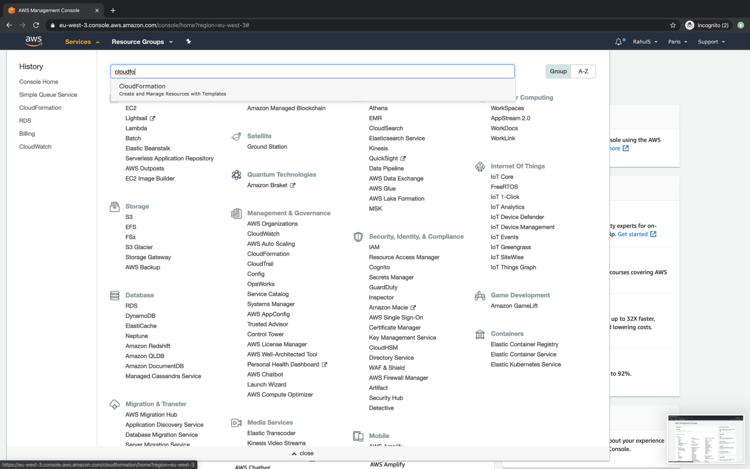
要使用 Cloudformation Stack 创建 Standard Queue,请点击顶部菜单栏中的“Services”,并搜索“Cloudformation”。
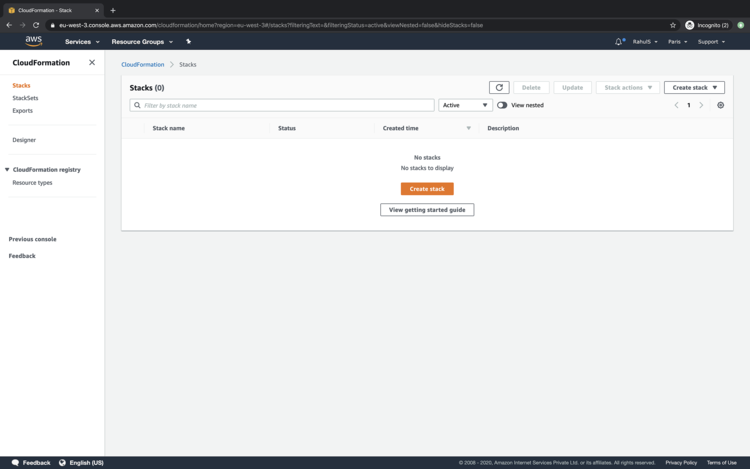
在 Cloudformation 的主仪表板上,点击“Create Stack”以创建一个 stack。
要从本地计算机上传模板,请点击“Upload a template file”单选按钮,然后点击“Next”。
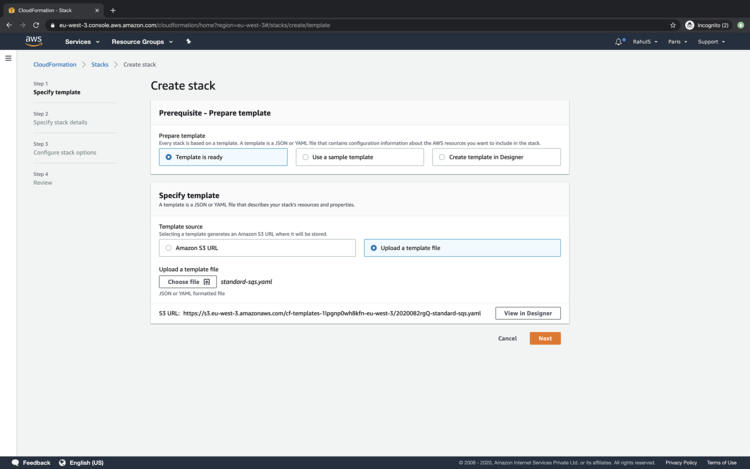
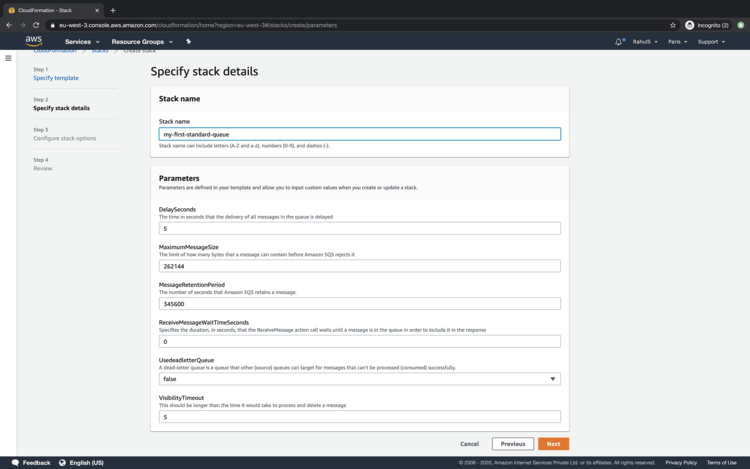
为要创建的 stack 指定名称并填写所需信息,或使用默认值继续,然后点击“Next”。
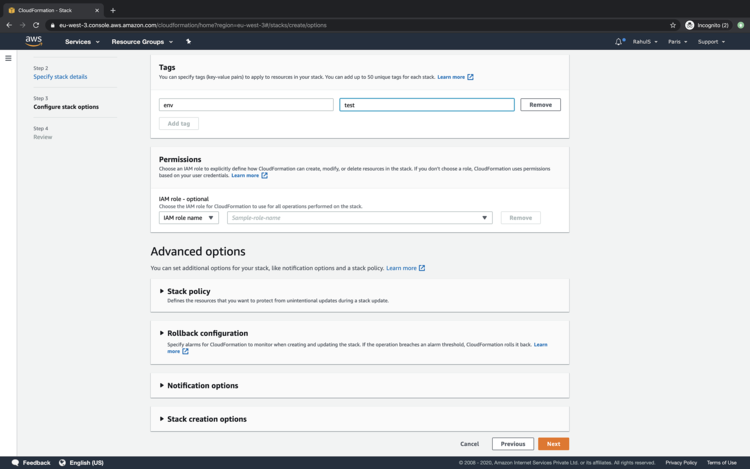
指定可在 SQS 创建时应用的标签,然后点击“Next”。
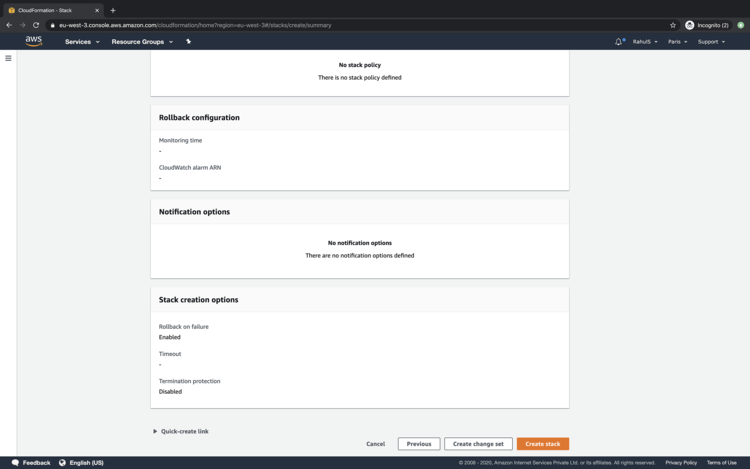
向下滚动页面,点击“Create Stack”按钮以创建一个 stack,该 stack 将创建一个 Standard Queue。
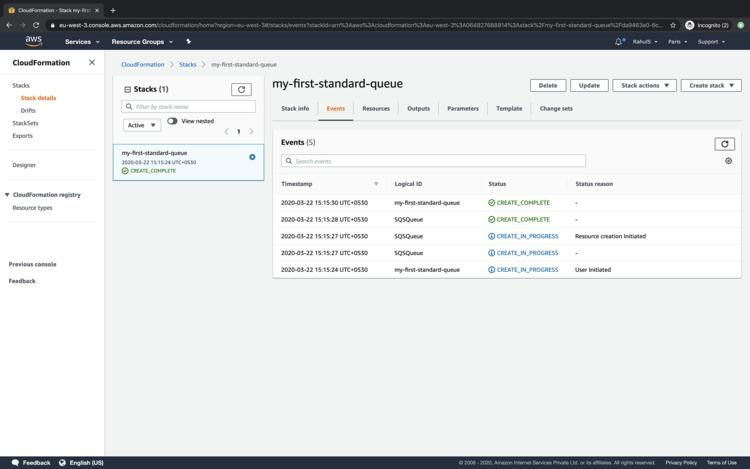
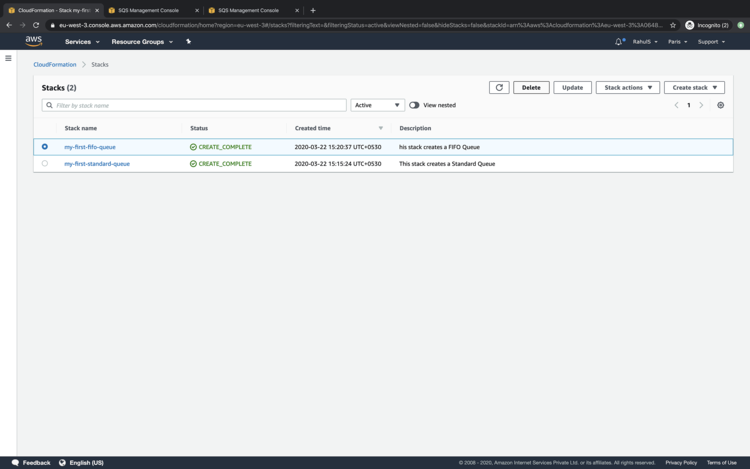
您可以在 Events 下查看状态。一旦 stack 的状态变为“CREATE_COMPLETE”,即表示 Queue 已创建。
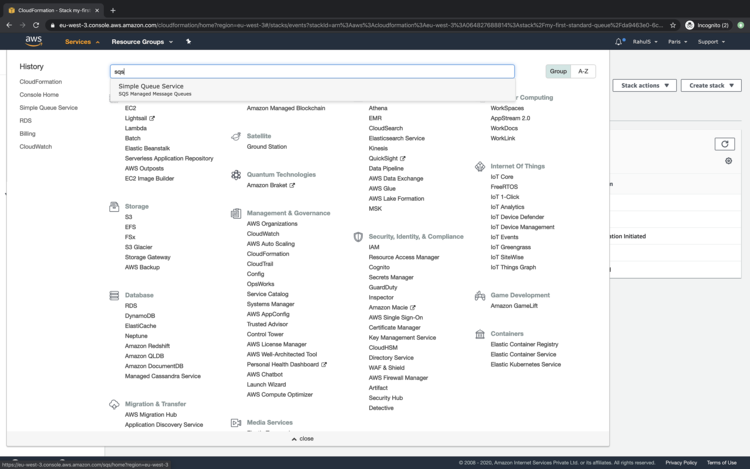
点击“Services”并搜索“SQS”,查看队列是否已创建。
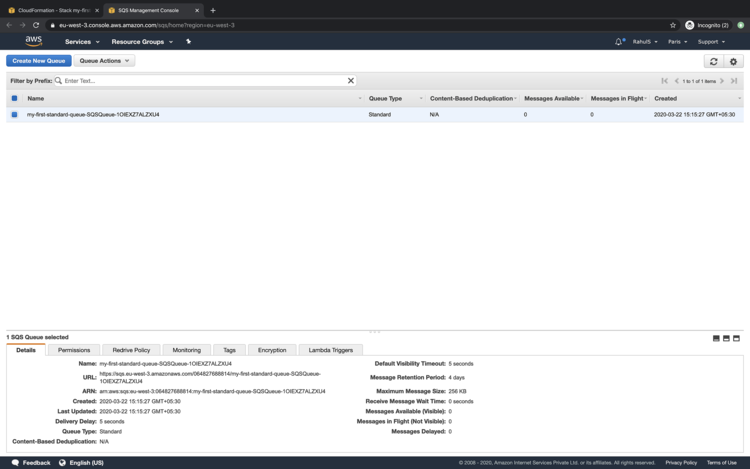
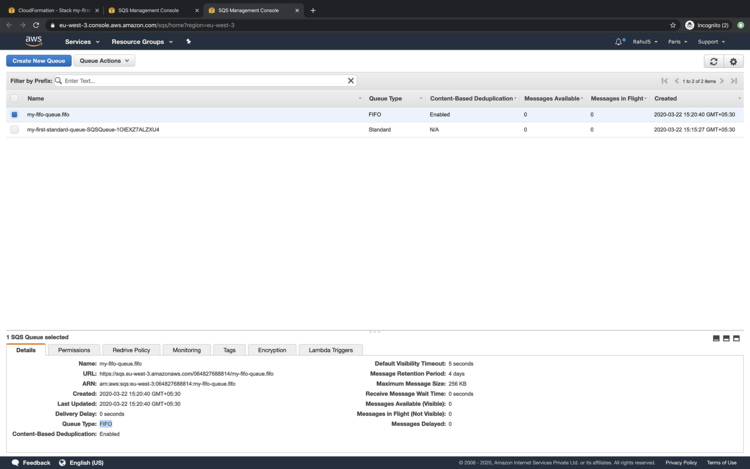
在 SQS 的主仪表板上,您可以看到 Queue 已创建,且该 Queue 的名称为 Cloudformation Stack 名称加上一些随机后缀字符串,原因是我们在 stack 中未指定 Queue Name。
使用 Cloudformation Stack 创建 FIFO Queue
在继续创建 FIFO Queue 之前,请复制以下代码块中的代码,或从此处下载模板并保存到您的本地系统。
---
AWSTemplateFormatVersion: '2010-09-09'
Description: This stack creates a FIFO Queue
Parameters:
  ContentBasedDeduplication:
    Description: Specifie whether to enable content-based deduplication
    Type: String
    AllowedValues:
    - 'true'
    - 'false'
    Default: 'true'
  QueueName:
    Description: This stack will append .fifo to the end of the Queue name.
    Type: String
  DelaySeconds:
    Description: "The time in seconds that the delivery of all messages in the queue"
    Type: Number
    Default: '5'
  MaximumMessageSize:
    Type: Number
    Description: "The limit of how many bytes that a message can contain before Amazon"
    Default: '262144'
  MessageRetentionPeriod:
    Description: "The number of seconds that Amazon SQS retains a message."
    Type: Number
    Default: '345600'
  ReceiveMessageWaitTimeSeconds:
    Description: "Specifies the duration, in seconds, that the ReceiveMessage action
      call waits until a message is in the queue in order to include it in the response"
    Type: Number
    Default: '0'
  UsedeadletterQueue:
    Description: "A dead-letter queue is a queue that other (source) queues can target
      for messages that can't be processed (consumed) successfully."
    Type: String
    AllowedValues:
    - 'true'
    - 'false'
    Default: 'false'
  VisibilityTimeout:
    Description: "This should be longer than the time it would take to process and
      delete a message"
    Type: Number
    Default: '5'
Mappings: {}
Conditions:
  CreateDeadLetterQueue:
    Fn::Equals:
    - Ref: UsedeadletterQueue
    - 'true'
Resources:
  SQSQueue:
    Type: AWS::SQS::Queue
    Properties:
      ContentBasedDeduplication:
        Ref: ContentBasedDeduplication
      FifoQueue: 'true'
      QueueName:
        Fn::Join:
        - ''
        - - Ref: QueueName
          - ".fifo"
      MaximumMessageSize:
        Ref: MaximumMessageSize
      MessageRetentionPeriod:
        Ref: MessageRetentionPeriod
      ReceiveMessageWaitTimeSeconds:
        Ref: ReceiveMessageWaitTimeSeconds
      RedrivePolicy:
        Fn::If:
        - CreateDeadLetterQueue
        - deadLetterTargetArn:
            Fn::GetAtt:
            - MyDeadLetterQueue
            - Arn
          maxReceiveCount: 5
        - Ref: AWS::NoValue
      VisibilityTimeout:
        Ref: VisibilityTimeout
  MyDeadLetterQueue:
    Condition: CreateDeadLetterQueue
    Type: AWS::SQS::Queue
    Properties:
      FifoQueue: 'true'
      QueueName:
        Fn::Join:
        - ''
        - - Ref: QueueName
          - Deadletter
          - ".fifo"
Outputs:
  QueueURL:
    Description: URL of the created SQS
    Value:
      Ref: SQSQueue
  QueueARN:
    Description: ARN of the created SQS
    Value:
      Fn::GetAtt:
      - SQSQueue
      - Arn
  QueueName:
    Description: Name of the created SQS
    Value:
      Fn::GetAtt:
      - SQSQueue
      - QueueName
返回 Cloudformation 的主仪表板,按照我们创建 Standard Queue 时相同的步骤操作。
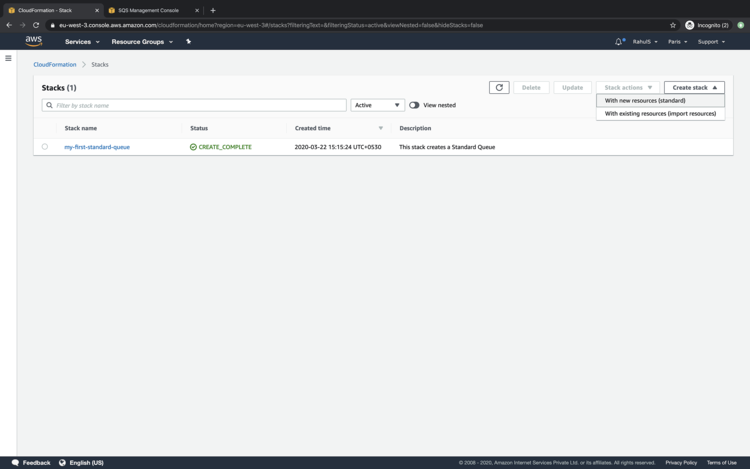
创建 stack 后,您可以看到 FIFO Queue 已可供使用。在这里您可以看到 FIFO Queue 没有随机字符串,原因是我们在 Cloudformation Template 中有一个选项,可以在其中指定要创建的 Queue 的名称。
如果不再需要这些 Queue,可以通过从主仪表板删除 Cloudformation Stack 来删除它们。
结论
在本文中,我们了解了使用 Cloudformation Stack 创建 Standard 和 FIFO Queue 的步骤。