
本页内容
- Linux pstree 命令
- Q1. 如何使用 pstree 命令?
- Q2. 如何让 pstree 在输出中也包含命令行参数?
- Q3. 如何强制 pstree 在输出中展开相同的子树?
- Q4. 如何让 pstree 高亮显示某个特定进程?
- Q5. 如何让 pstree 在输出中显示进程组 ID?
- Q6. 如何让 pstree 按 PID 对进程排序?
- Q7. 如何让 pstree 显示特定用户的进程树?
- Q8. 如何将 Pstree 限定到某个特定进程?
- 结论
由于在 Linux 系统中,每个进程(最初始的那个除外)都有一个父进程,因此如果把所有进程以树状结构显示出来,有时会让事情更容易理解。你会很高兴地知道,有一个名为 pstree 的命令行工具可以显示进程树。
在本教程中,我们将通过一些易于理解的示例来讨论 pstree 命令的基础知识。但在此之前,值得一提的是,这里的所有示例都已在 Ubuntu 22.04 LTS 机器上测试过。
Linux pstree 命令
正如开头已经提到的,pstree 命令用于显示进程树。以下是它的语法:
pstree [options]下面是该工具的 man page 对它的说明:
       pstree shows running processes as a tree.  The tree is rooted at either
       pid  or  init  if  pid  is  omitted.   If a user name is specified, all
       process trees rooted at processes owned by that user are shown.
       pstree visually merges identical branches by  putting  them  in  square
       brackets and prefixing them with the repetition count, e.g.
           init-+-getty
                |-getty
                |-getty
                `-getty
       becomes
           init---4*[getty]
       Child  threads  of a process are found under the parent process and are
       shown with the process name in curly braces, e.g.
           icecast2---13*[{icecast2}]
       If pstree is called as pstree.x11 then it will prompt the user  at  the
       end of the line to press return and will not return until that has hap?
       pened.  This is useful for when pstree is run in a xterminal.
       Certain kernel or mount parameters, such  as  the  hidepid  option  for
       procfs,  will  hide information for some processes. In these situations
       pstree will attempt to build the tree without this information, showing
       process names as question marks.
以下是一些问答形式的示例,应该能让你很好地了解 pstree 命令的工作原理:
Q1. 如何使用 pstree 命令?
基本用法很简单:你只需执行不带任何选项的 'pstree' 即可。
pstree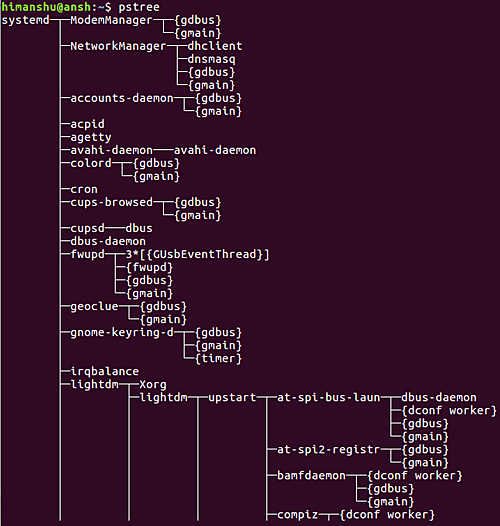
所以你可以看到,这就是 pstree 在输出中生成进程相关信息的方式。
Q2. 如何让 pstree 在输出中也包含命令行参数?
这可以通过 -a 命令行选项来实现。
pstree -a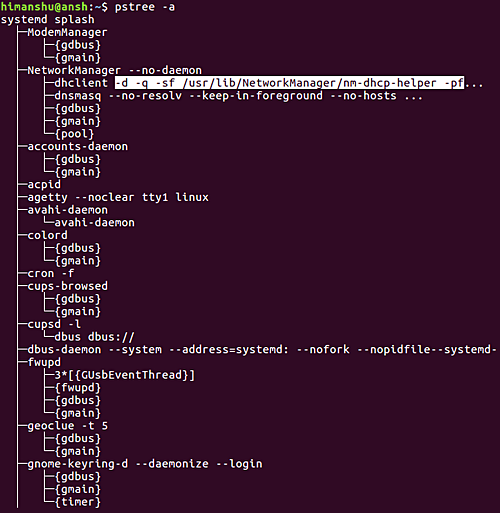
所以你可以看到,pstree 命令现在也会为某些进程显示命令行选项。
Q3. 如何强制 pstree 在输出中展开相同的子树?
默认情况下,pstree 命令会把相同的分支合并,将它们放在方括号中,并在前面加上重复次数。类似这样:
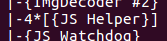
不过,如果你愿意,可以强制该工具展开相同的树,这可以通过 -c 命令行选项来实现。
pstree -c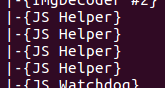
Q4. 如何让 pstree 高亮显示某个特定进程?
如果你希望该工具在输出中高亮显示某个特定进程,请使用 -H 命令行选项。
pstree -H [PID]其中 PID 是你想要高亮显示的进程的 ID。例如,我使用以下命令高亮显示了系统上的 firefox 进程:
pstree -H 3124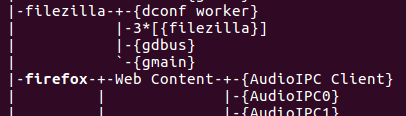
所以你可以看到,与其他名称相比,'firefox' 这个名称被稍微高亮显示了。
Q5. 如何让 pstree 在输出中显示进程组 ID?
为此,请使用 -g 命令行选项。
pstree -g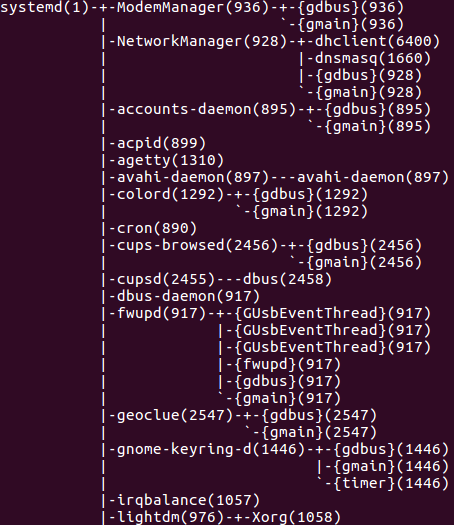
所以你可以看到,进程组 ID 以十进制数字的形式显示在每个进程名称后面的括号中。
Q6. 如何让 pstree 按 PID 对进程排序?
默认情况下,pstree 会按名称对具有相同祖先的进程排序。不过,如果你愿意,也可以让 pstree 按 PID 对进程排序,这可以通过 -n 命令行选项来实现。
pstree -n请注意,这种排序方式也称为数值排序。
Q7. 如何让 pstree 显示特定用户的进程树?
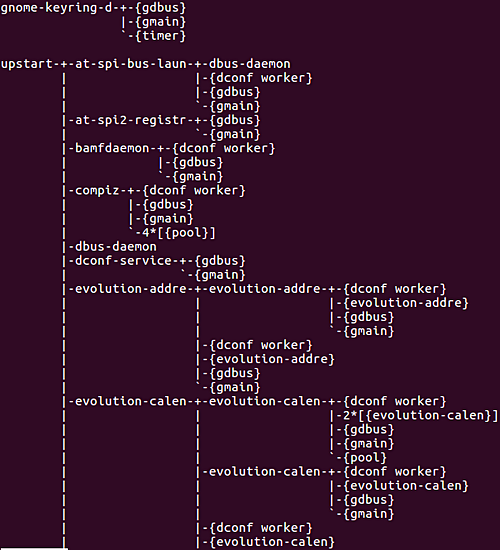
如果你想让 pstree 显示所有以特定用户所拥有的进程为根的进程树,那么只需将该用户的名称作为输入传给该命令即可。
例如,
pstree himanshu因此在这种情况下,我的系统上产生了如下输出:
Q8. 如何将 Pstree 限定到某个特定进程?
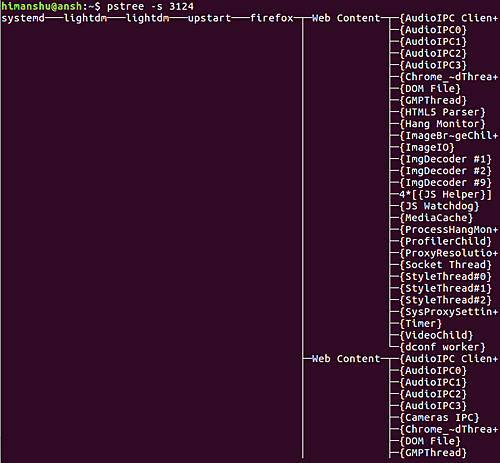
如果你想让 pstree 只显示某个特定进程的父进程和子进程信息,请使用 -s 选项。
pstree -s [PID]例如,我想将系统上 Pstree 的输出限定为仅 firefox 进程,因此我执行了以下命令:
pstree -s 3124下面是该工具显示的输出:
结论
根据你所从事工作的类型,pstree 命令可能会大有帮助。在本教程中,我们讨论了该工具提供的一些关键命令行选项。欲了解更多信息,请查阅其 man page。