
本页内容
- 准备工作
- 安装所需依赖
- 安装 Apache 和 MariaDB
- 为 OTRS 创建数据库
- 安装 OTRS
- 配置 OTRS
- 为 OTRS 配置 Apache
- 访问 OTRS Web 安装程序
- 结论
OTRS ((Community Edition)) 代表 "Open Source Trouble Ticket System",是一套免费且开源的服务管理套件。它是服务台、呼叫中心和 IT 服务管理团队使用的最流行的工单工具之一。它使用 PERL 编程语言编写,并采用 MariaDB 作为数据库后端。OTRS ((Community Edition)) 由三个组件构成,包括管理仪表板、代理门户和客户门户。它具备直观的机制,可让你轻松地从流行的解决方案迁移到 OTRS ((Community Edition))。
在本文中,我们将向你展示如何在 Alma Linux 8 上安装 OTRS ((Community Edition)) Community Edition Ticketing Software。
准备工作
- 一台运行 Alma Linux 8 的服务器。
- 服务器上已配置 root 密码。
安装所需依赖
开始之前,你需要在服务器上安装 EPEL 仓库及其他依赖项。
首先,使用以下命令安装 EPEL 仓库并启用 Powertools 仓库:
dnf install epel-release -y
dnf config-manager --set-enabled powertools
接下来,使用以下命令安装其他所需的依赖项:
dnf install gcc expat-devel procmail mod_perl perl perl-core sharutils -y所有依赖项安装完成后,即可进入下一步。
安装 Apache 和 MariaDB
接下来,你需要在系统上安装 Apache web 服务器和 MariaDB 数据库服务器。可以使用以下命令一并安装两者:
dnf install httpd mariadb-server -y安装成功后,使用以下命令启动并启用 Apache 和 MariaDB 服务:
systemctl start httpd mariadb
systemctl enable httpd mariadb
完成后,即可进入下一步。
为 OTRS 创建数据库
首先,你需要加固 MariaDB 安装并设置 root 密码。可以使用以下命令完成:
mysql_secure_installation按如下所示回答所有问题:
Enter current password for root (enter for none):
Set root password? [Y/n] Y
New password:
Remove anonymous users? [Y/n] Y
Disallow root login remotely? [Y/n] Y
Remove test database and access to it? [Y/n] Y
Reload privilege tables now? [Y/n] Y
MariaDB 加固完成后,使用以下命令登录 MariaDB shell:
mysql -u root -p登录后,使用以下命令为 OTRS 创建数据库和用户:
MariaDB [(none)]> CREATE DATABASE otrs character set UTF8 collate utf8_bin;
MariaDB [(none)]> GRANT ALL PRIVILEGES ON otrs.* TO 'otrs'@'localhost' IDENTIFIED BY 'password';
接下来,使用以下命令刷新权限并退出 MariaDB shell:
MariaDB [(none)]> FLUSH PRIVILEGES;
MariaDB [(none)]> EXIT;
接下来,使用以下命令编辑 MariaDB 配置文件:
nano /etc/my.cnf.d/mariadb-server.cnf在 [mysqld] 段下方添加以下几行:
max_allowed_packet=256M
character-set-server=utf8
collation-server=utf8_general_ci
innodb_buffer_pool_size=4G
innodb_log_file_size=1G
保存并关闭文件,然后重启 MariaDB 服务以使更改生效:
systemctl restart mariadb完成后,即可进入下一步。
安装 OTRS
首先,使用以下命令为 OTRS 创建一个专用用户:
useradd otrs接下来,使用以下命令将 OTRS 用户加入 Apache 组:
usermod -G apache otrs接下来,使用以下命令下载最新版本的 OTRS:
wget https://otrscommunityedition.com/download/otrs-community-edition-6.0.33.zip下载完成后,使用以下命令解压下载的文件:
unzip otrs-community-edition-6.0.33.zip接下来,使用以下命令将解压后的目录移动到 /opt:
mv otrs-community-edition-6.0.33 /opt/otrs接下来,使用以下命令检查 OTRS 所需的所有 Perl 模块:
perl /opt/otrs/bin/otrs.CheckModules.pl查看生成的输出,并使用以下命令安装所有必需的 Perl 模块:
cpan Date::Format
cpan DateTime
cpan DateTime::TimeZone
cpan Mail::IMAPClient
cpan Moo
cpan Net::DNS
cpan Template
cpan Template::Stash::XS
cpan XML::LibXML
cpan YAML::XS
配置 OTRS
接下来,你需要在 OTRS 配置文件中定义数据库设置。首先,使用以下命令重命名该配置文件:
cp /opt/otrs/Kernel/Config.pm.dist /opt/otrs/Kernel/Config.pm接下来,使用以下命令编辑配置文件:
nano /opt/otrs/Kernel/Config.pm按如下所示定义数据库设置:
# The database name
$Self->{Database} = 'otrs';

# The database user
$Self->{DatabaseUser} = 'otrs';

# The password of database user. You also can use bin/otrs.Console.pl Maint::Database::PasswordCrypt
# for crypted passwords
$Self->{DatabasePw} = 'password';
保存并关闭文件,然后编辑 Apache perl 配置文件并定义数据库名称:
nano /opt/otrs/scripts/apache2-perl-startup.pl取消以下几行的注释:
use DBD::mysql ();
use Kernel::System::DB::mysql;
保存并关闭文件,然后使用以下命令检查所有配置文件是否存在语法错误:
perl -cw /opt/otrs/bin/cgi-bin/index.pl
perl -cw /opt/otrs/bin/cgi-bin/customer.pl
perl -cw /opt/otrs/bin/otrs.Console.pl
接下来,使用以下命令设置适当的权限:
/opt/otrs/bin/otrs.SetPermissions.pl为 OTRS 配置 Apache
OTRS 提供了一个 Apache 配置文件,用于通过互联网访问它。你可以使用以下命令将其复制到 Apache 配置目录:
ln -s /opt/otrs/scripts/apache2-httpd.include.conf /etc/httpd/conf.d/otrs.conf接下来,重启 Apache 服务以使更改生效:
systemctl restart httpd你也可以使用以下命令查看 Apache 状态:
systemctl status httpd你将看到如下输出:
? httpd.service - The Apache HTTP Server
   Loaded: loaded (/usr/lib/systemd/system/httpd.service; disabled; vendor preset: disabled)
   Active: active (running) since Sat 2022-02-19 08:11:23 UTC; 8min ago
     Docs: man:httpd.service(8)
 Main PID: 39353 (/usr/sbin/httpd)
   Status: "Total requests: 113; Idle/Busy workers 100/0;Requests/sec: 0.236; Bytes served/sec: 2.9KB/sec"
    Tasks: 278 (limit: 23696)
   Memory: 577.3M
   CGroup: /system.slice/httpd.service
           ??39353 /usr/sbin/httpd -DFOREGROUND
           ??39492 /usr/sbin/httpd -DFOREGROUND
           ??39493 /usr/sbin/httpd -DFOREGROUND
           ??39494 /usr/sbin/httpd -DFOREGROUND
           ??39496 /usr/sbin/httpd -DFOREGROUND
           ??39722 /usr/sbin/httpd -DFOREGROUND
接下来,使用以下命令启动 OTRS 守护进程:
sudo -u otrs /opt/otrs/bin/otrs.Daemon.pl start你将看到如下输出:
Manage the OTRS daemon process.

Daemon started
访问 OTRS Web 安装程序
现在,打开 Web 浏览器,通过 URL http://you-server-ip-address/otrs/installer.pl 访问 OTRS Web 安装向导。你将看到如下页面:
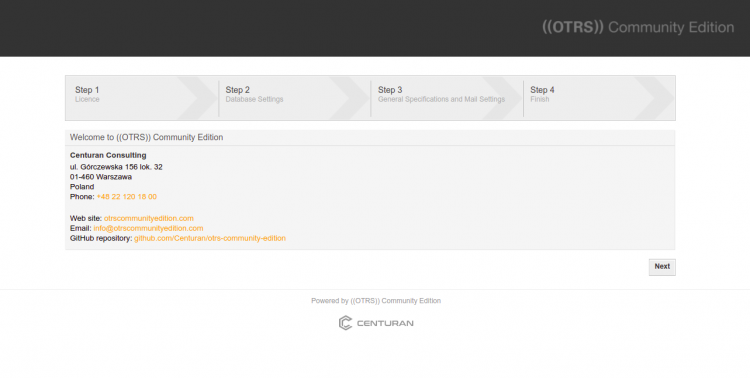
点击 Next 按钮。你将看到许可条款页面。
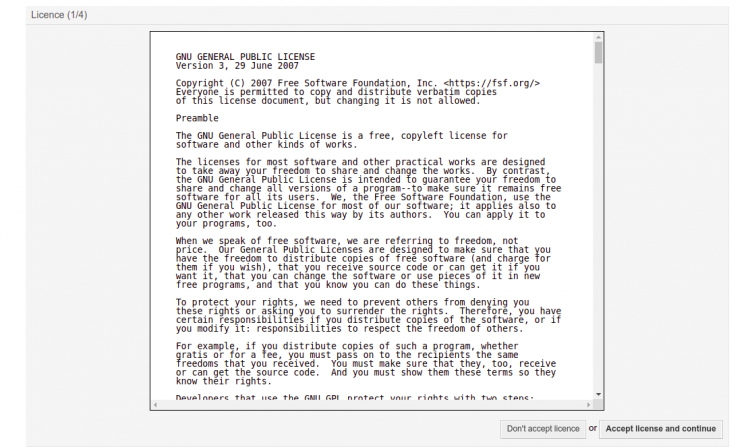
点击 Accept license and continue 按钮。你将看到数据库选择页面:
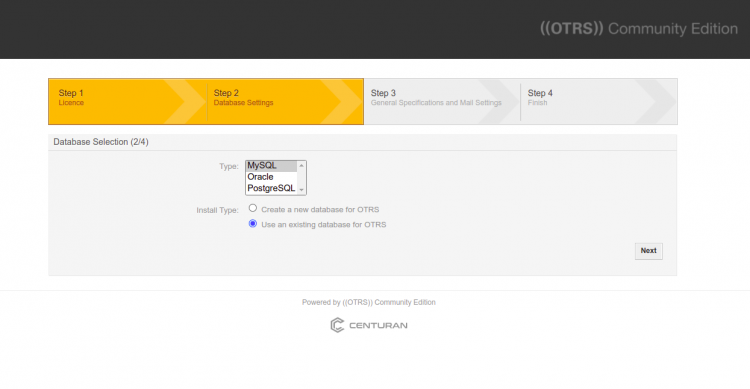
选择 MySQL 并点击 Next 按钮。你将看到数据库配置页面:
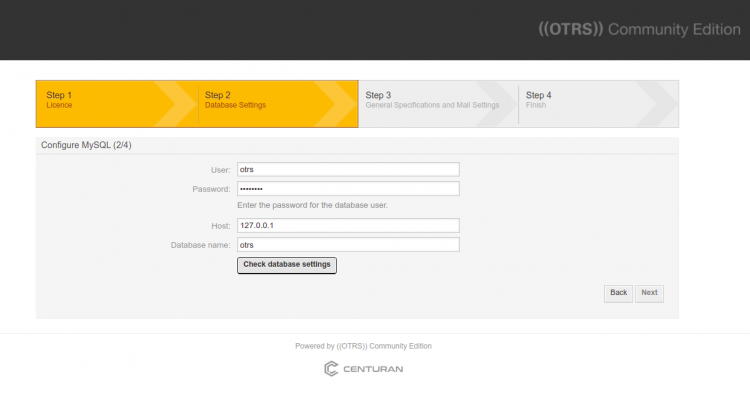
填写数据库信息并点击 Check database settings。数据库连接成功后,你将看到如下页面:
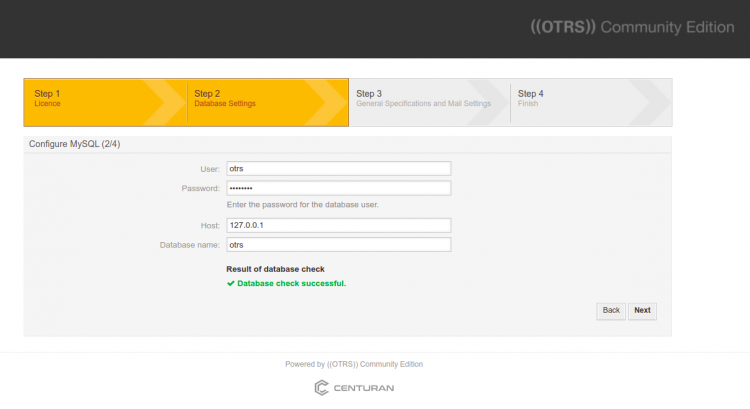
点击 Next 按钮。你将看到如下页面:
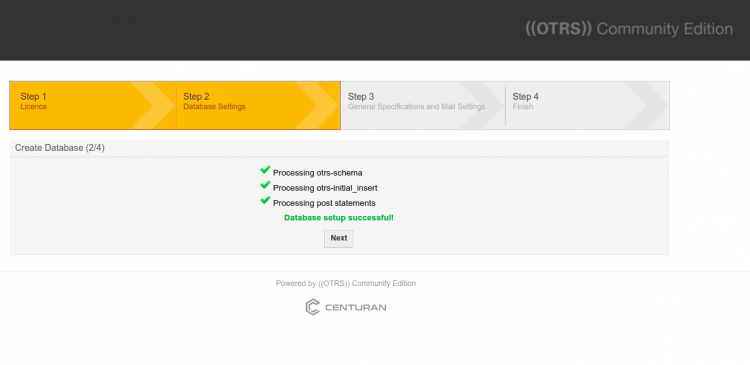
点击 Next 按钮。你将看到系统设置页面:
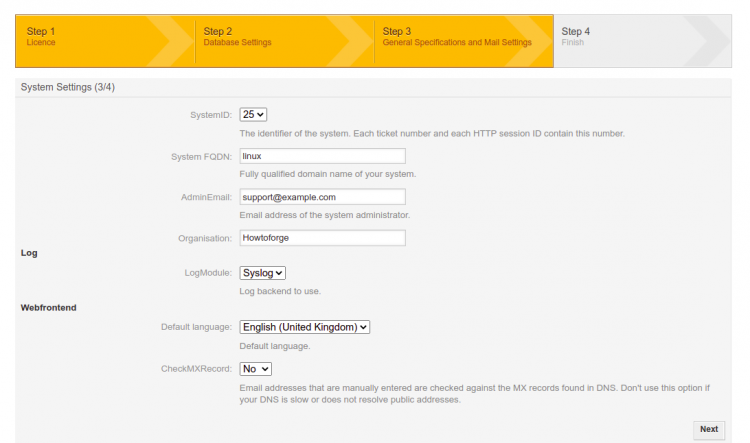
填写所有必填信息并点击 Next 按钮。你将看到邮件配置页面:
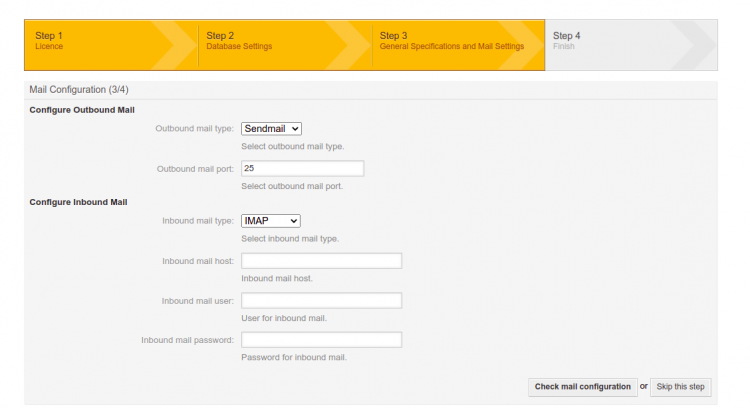
点击 skip this step。你将看到如下页面:
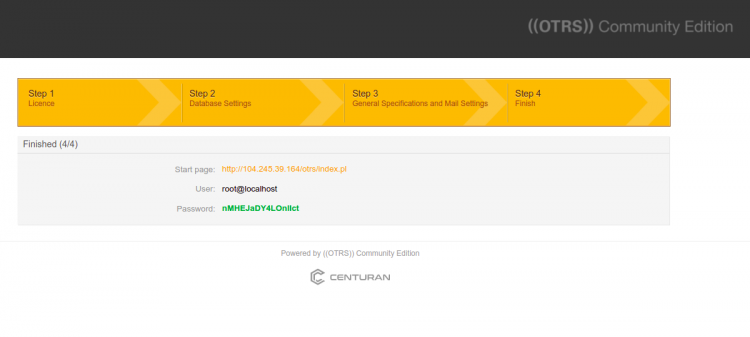
现在,点击起始页 URL。你将被重定向到 OTRS 登录页面:
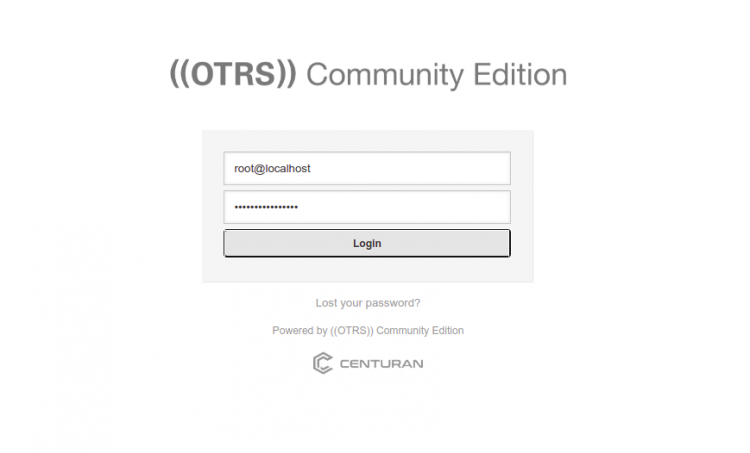
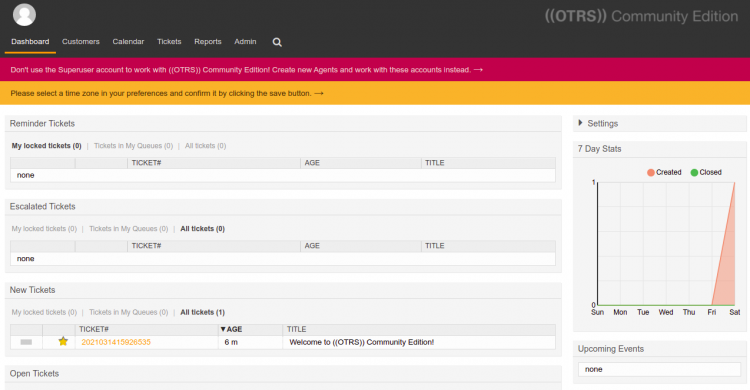
输入登录凭据并点击 Login 按钮。你将在如下页面看到 OTRS 仪表板:
结论
恭喜!你已成功在 Alma Linux 8 上安装了 OTRS ((Community Edition))。现在你可以在组织中部署 OTRS ((Community Edition)),并开始将其用作工单工具。如有任何问题,欢迎随时向我提问。