
本页内容
- 前提条件
- 安装 LEMP 服务器
- 安装 Composer
- 在 Alma Linux 8 上安装 Laravel
- 为 Laravel 创建 Nginx 虚拟主机
- 为 Laravel 配置防火墙
- 访问 Laravel Web UI
- 在 Laravel 网站上启用 SSL
- 结论
Laravel 是一个免费、开源且轻量级的 PHP Web 框架,用于构建基于 PHP 的 Web 应用程序。它因优雅的语法、高级功能和强大的工具集而广受欢迎。它基于 Symfony 框架,可帮助开发人员简化 Web 应用程序开发。它还提供 Artisan 命令行界面来为你的应用程序执行操作。它提供强大的功能,包括 Artisan、MVC 架构、对象关系映射、模板引擎、单元测试和数据库迁移系统。
在本文中,我们将向你展示如何在 Alma Linux 8 上安装带 Nginx 的 Laravel。
前提条件
- 一台运行 Alma Linux 8 的服务器。
- 一个指向你的服务器 IP 的有效域名。
- 你的服务器上已配置 root 密码。
安装 LEMP 服务器
首先,你需要在服务器上安装 Nginx、MariaDB、PHP 及其他必需的 PHP 扩展。你可以通过运行以下命令来安装所有这些组件:
dnf install nginx mariadb-server php php-fpm php-common php-xml php-mbstring php-json php-zip php-mysqlnd curl unzip -y安装所有软件包后,编辑 php-fpm 配置文件并将其配置为使用 Nginx:
nano /etc/php-fpm.d/www.conf修改以下几行:
listen.owner = nginx
listen.group = nginx
保存并关闭文件,然后编辑 PHP 配置文件并修改默认值:
nano /etc/php.ini修改以下几行:
date.timezone = Asia/Kolkata
cgi.fix_pathinfo=1
保存并关闭文件,然后使用以下命令启动并启用 Nginx、MariaDB 和 PHP-FPM 服务:
systemctl start nginx
systemctl start mariadb
systemctl start php-fpm
systemctl enable nginx
systemctl enable mariadb
systemctl enable php-fpm
完成后,你可以继续下一步。
安装 Composer
在本文中,我们将使用 Composer 安装 Laravel。因此你需要在系统上安装 Composer。你可以通过运行以下命令来安装它:
curl -sS https://getcomposer.org/installer | php你将看到以下输出:
All settings correct for using Composer
Downloading...

Composer (version 2.2.3) successfully installed to: /root/composer.phar
Use it: php composer.phar
接下来,使用以下命令将 Composer 二进制文件移动到系统路径并设置适当的权限:
mv composer.phar /usr/local/bin/composer
chmod +x /usr/local/bin/composer
接下来,使用以下命令验证 Composer 版本:
composer --version你将看到以下输出:
Composer version 2.2.3 2021-12-31 12:18:53
在 Alma Linux 8 上安装 Laravel
接下来,将目录切换到 Nginx Web 根目录,并使用 Composer 安装 Laravel:
cd /var/www/html/
composer create-project --prefer-dist laravel/laravel laravel
你将看到以下输出:
Discovered Package: facade/ignition
Discovered Package: fideloper/proxy
Discovered Package: fruitcake/laravel-cors
Discovered Package: laravel/tinker
Discovered Package: nesbot/carbon
Discovered Package: nunomaduro/collision
Package manifest generated successfully.
69 packages you are using are looking for funding.
Use the `composer fund` command to find out more!
> @php artisan key:generate --ansi
Application key set successfully.
接下来,为 Laravel 设置适当的所有权和权限:
chown -R nginx:nginx /var/www/html/laravel/
chown -R nginx:nginx /var/www/html/laravel/storage/
chown -R nginx:nginx /var/www/html/laravel/bootstrap/cache/
chmod -R 0777 /var/www/html/laravel/storage/
chmod -R 0775 /var/www/html/laravel/bootstrap/cache/
完成后,你可以继续下一步。
为 Laravel 创建 Nginx 虚拟主机
接下来,你需要为 Laravel 创建一个 Nginx 配置文件。你可以使用以下命令创建它:
nano /etc/nginx/conf.d/laravel.conf添加以下几行:
server {
       listen 80;
       server_name laravel.exampledomain.com;
       root        /var/www/html/laravel/public;
       index       index.php;
       charset utf-8;
       gzip on;
	gzip_types text/css application/javascript text/javascript application/x-javascript  image/svg+xml text/plain text/xsd text/xsl text/xml image/x-icon;
        location / {
        	try_files $uri $uri/ /index.php?$query_string;
        }

        location ~ \.php {
                include fastcgi.conf;
                fastcgi_split_path_info ^(.+\.php)(/.+)$;
                fastcgi_pass unix:/run/php-fpm/www.sock;
        }
        location ~ /\.ht {
                deny all;
        }
}
保存并关闭文件,然后检查 Laravel 是否存在任何配置错误:
nginx -t你应该会看到以下输出:
nginx: the configuration file /etc/nginx/nginx.conf syntax is ok
nginx: configuration file /etc/nginx/nginx.conf test is successful
接下来,重启 Nginx 和 PHP-FPM 服务以应用更改:
systemctl restart php-fpm
systemctl restart nginx
你也可以使用以下命令验证 Nginx 状态:
systemctl status nginx你将看到以下输出:
? nginx.service - The nginx HTTP and reverse proxy server
   Loaded: loaded (/usr/lib/systemd/system/nginx.service; disabled; vendor preset: disabled)
  Drop-In: /usr/lib/systemd/system/nginx.service.d
           ??php-fpm.conf
   Active: active (running) since Fri 2022-01-07 08:29:11 UTC; 4s ago
  Process: 8186 ExecStart=/usr/sbin/nginx (code=exited, status=0/SUCCESS)
  Process: 8184 ExecStartPre=/usr/sbin/nginx -t (code=exited, status=0/SUCCESS)
  Process: 8182 ExecStartPre=/usr/bin/rm -f /run/nginx.pid (code=exited, status=0/SUCCESS)
 Main PID: 8188 (nginx)
    Tasks: 2 (limit: 11411)
   Memory: 3.7M
   CGroup: /system.slice/nginx.service
           ??8188 nginx: master process /usr/sbin/nginx
           ??8189 nginx: worker process

Jan 07 08:29:11 linux systemd[1]: nginx.service: Succeeded.
Jan 07 08:29:11 linux systemd[1]: Stopped The nginx HTTP and reverse proxy server.
Jan 07 08:29:11 linux systemd[1]: Starting The nginx HTTP and reverse proxy server...
Jan 07 08:29:11 linux nginx[8184]: nginx: the configuration file /etc/nginx/nginx.conf syntax is ok
Jan 07 08:29:11 linux nginx[8184]: nginx: configuration file /etc/nginx/nginx.conf test is successful
Jan 07 08:29:11 linux systemd[1]: nginx.service: Failed to parse PID from file /run/nginx.pid: Invalid argument
Jan 07 08:29:11 linux systemd[1]: Started The nginx HTTP and reverse proxy server.
为 Laravel 配置防火墙
接下来,你需要允许端口 80 和 443 通过 firewalld 防火墙。你可以使用以下命令允许它们:
firewall-cmd --zone=public --permanent --add-service=http
firewall-cmd --zone=public --permanent --add-service=https
接下来,重新加载 firewalld 以应用更改:
firewall-cmd --reload访问 Laravel Web UI
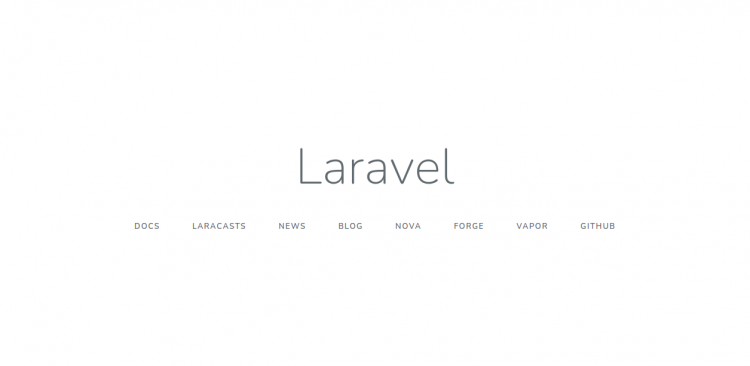
现在,打开你的 Web 浏览器,使用 URL http://laravel.exampledomain.com 访问 Laravel Web UI。你应该会在如下画面看到 Laravel 默认页面:
在 Laravel 网站上启用 SSL
建议为 Laravel 网站启用 SSL 以保护连接。Let's Encrypt 提供免费的 SSL,用于为你的域名获取、续订和管理 SSL/TLS 证书。首先,使用以下命令安装 Certbot 客户端:
dnf install epel-release -y
dnf install certbot -y
接下来,运行以下命令为你的 Laravel 域名下载 Let's Encrypt SSL:
certbot --nginx -d laravel.exampledomain.com系统将要求你提供有效的电子邮件并接受服务条款,如下所示:
Saving debug log to /var/log/letsencrypt/letsencrypt.log
Plugins selected: Authenticator nginx, Installer nginx
Enter email address (used for urgent renewal and security notices) (Enter 'c' to
cancel):
[email protected]


- - - - - - - - - - - - - - - - - - - - - - - - - - - - - - - - - - - - - - - -
Please read the Terms of Service at
https://letsencrypt.org/documents/LE-SA-v1.2-November-15-2017.pdf. You must
agree in order to register with the ACME server at
https://acme-v02.api.letsencrypt.org/directory
- - - - - - - - - - - - - - - - - - - - - - - - - - - - - - - - - - - - - - - -
(A)gree/(C)ancel: A

- - - - - - - - - - - - - - - - - - - - - - - - - - - - - - - - - - - - - - - -
Would you be willing to share your email address with the Electronic Frontier
Foundation, a founding partner of the Let's Encrypt project and the non-profit
organization that develops Certbot? We'd like to send you email about our work
encrypting the web, EFF news, campaigns, and ways to support digital freedom.
- - - - - - - - - - - - - - - - - - - - - - - - - - - - - - - - - - - - - - - -
(Y)es/(N)o: Y
Obtaining a new certificate
Performing the following challenges:
http-01 challenge for laravel.exampledomain.com
Waiting for verification...
Cleaning up challenges
Deploying Certificate to VirtualHost /etc/nginx/conf.d/laravel.conf
接下来,选择是否将 HTTP 流量重定向到 HTTPS:
Please choose whether or not to redirect HTTP traffic to HTTPS, removing HTTP access.
- - - - - - - - - - - - - - - - - - - - - - - - - - - - - - - - - - - - - - - -
1: No redirect - Make no further changes to the webserver configuration.
2: Redirect - Make all requests redirect to secure HTTPS access. Choose this for
new sites, or if you're confident your site works on HTTPS. You can undo this
change by editing your web server's configuration.
- - - - - - - - - - - - - - - - - - - - - - - - - - - - - - - - - - - - - - - -
Select the appropriate number [1-2] then [enter] (press 'c' to cancel): 2
输入 2 并按回车键开始该过程。证书安装完成后,你应该会看到以下输出:
Redirecting all traffic on port 80 to ssl in /etc/nginx/conf.d/laravel.conf

- - - - - - - - - - - - - - - - - - - - - - - - - - - - - - - - - - - - - - - -
Congratulations! You have successfully enabled https://laravel.exampledomain.com

You should test your configuration at:
https://www.ssllabs.com/ssltest/analyze.html?d=laravel.exampledomain.com
- - - - - - - - - - - - - - - - - - - - - - - - - - - - - - - - - - - - - - - -

IMPORTANT NOTES:
 - Congratulations! Your certificate and chain have been saved at:
   /etc/letsencrypt/live/laravel.exampledomain.com/fullchain.pem
   Your key file has been saved at:
   /etc/letsencrypt/live/laravel.exampledomain.com/privkey.pem
   Your cert will expire on 2022-04-11. To obtain a new or tweaked
   version of this certificate in the future, simply run certbot again
   with the "certonly" option. To non-interactively renew *all* of
   your certificates, run "certbot renew"
 - Your account credentials have been saved in your Certbot
   configuration directory at /etc/letsencrypt. You should make a
   secure backup of this folder now. This configuration directory will
   also contain certificates and private keys obtained by Certbot so
   making regular backups of this folder is ideal.
 - If you like Certbot, please consider supporting our work by:

   Donating to ISRG / Let's Encrypt:   https://letsencrypt.org/donate
   Donating to EFF:                    https://eff.org/donate-le

 - We were unable to subscribe you the EFF mailing list because your
   e-mail address appears to be invalid. You can try again later by
   visiting https://act.eff.org.
此时,你的 Laravel 网站已通过 Let's Encrypt SSL 得到保护。你现在可以使用 URL https://laravel.exampledomain.com 安全地访问它。
结论
恭喜!你已在 Alma Linux 8 上成功安装了带 Nginx 和 Let's Encrypt SSL 的 Laravel。你现在可以开始使用 Laravel 框架开发基于 PHP 的应用程序。如有任何问题,欢迎随时向我提问。